#Building: the block picker and the preview Current
- On foot only (since 2026-11-19): seated (piloting, gunning, in a bed) there is no building: build mode goes off as one sits, G does nothing there, and the server refuses placing, removing and new grids from a seat ("stand up to build").
- What the right button takes off (since 2026-11-22): in build mode the block aimed at is marked by a see-through red box (all of a block over several cells), beside the blue preview of the block to be put.
- Landing gear first (since 2026-11-22): a new grid (not a station) begun with landing gear within 6 m of the ground goes down onto it, its pad down, and locks there at once (the preview shows it so). What is built on it stands clear of the ground: a chassis one can put wheels under; when the vehicle is done, the gear is unlocked and taken off. Higher up, or as a station, it is put as any first block.
- Locked is fixed (since 2026-11-22): a ship whose landing gear or connector is locked to the ground or to a station is held fixed, as a station is (its body made fixed), not by its lock's joint alone, which the solver put right a little every step: standing in a landed capsule the floor trembled (1-2 km/h). Unlocked, it moves again. Locked to another ship it keeps the joint.
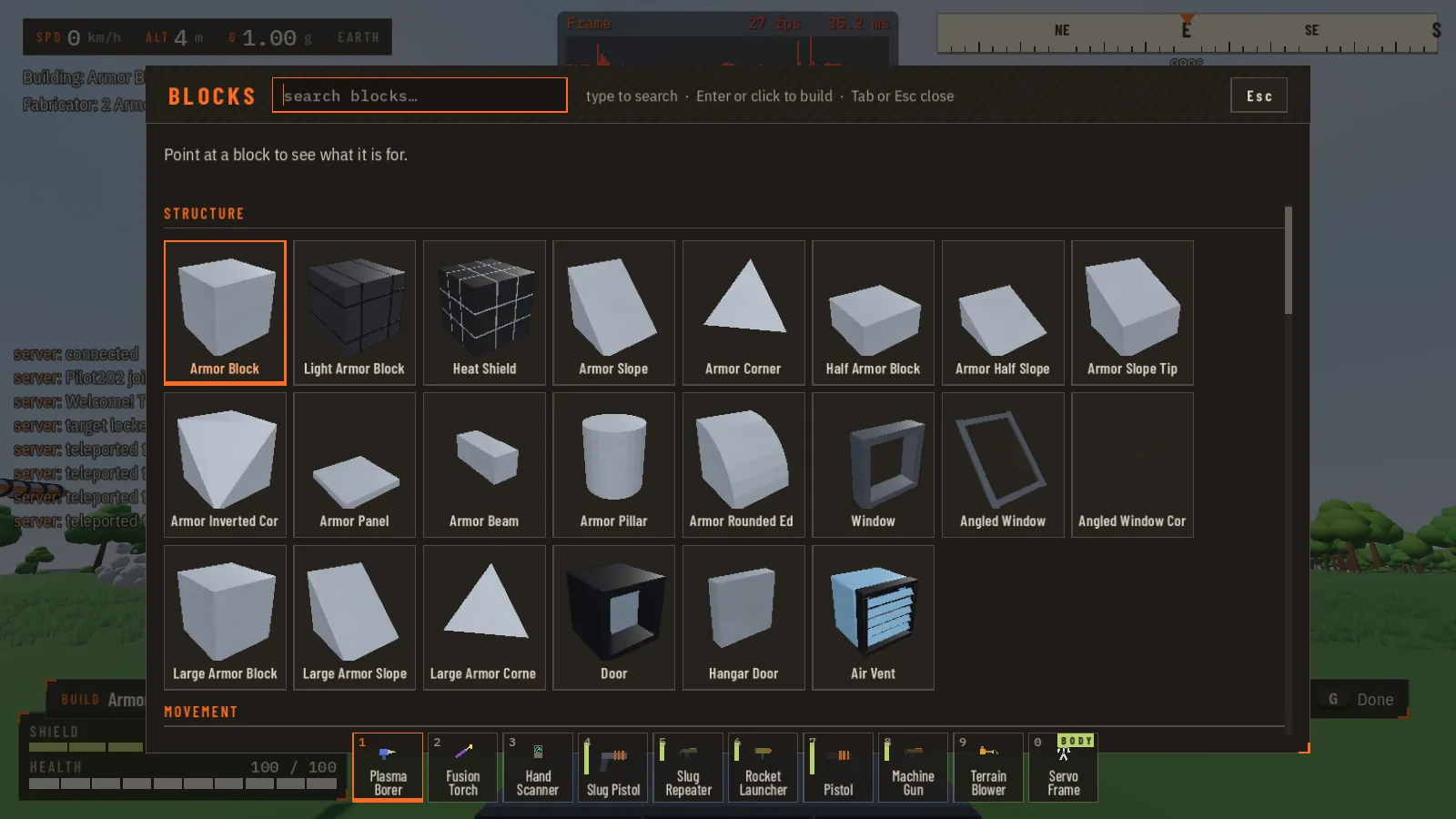
- Block picker (sandbox): in build mode, Tab opens a window with every block one can build as a small 3D picture of its model (rendered once from the same models as in the world), under a heading for each kind: structure, movement, mechanics, control, power, industry, fluids, weapons. Clicking one picks it and closes the window. (In survival one builds from crates; Tab there stays the inventory.)
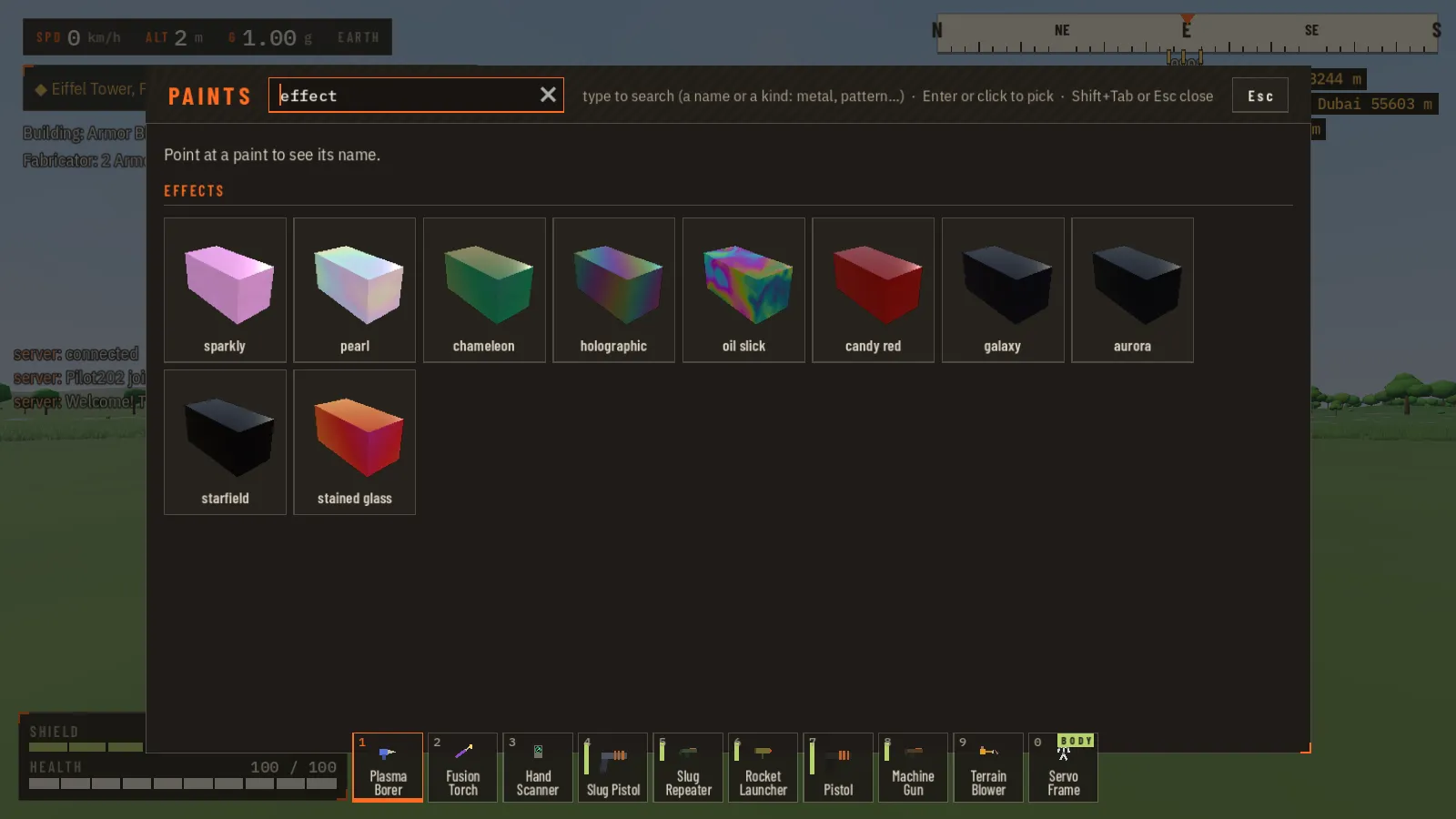
- Paint picker (since 2026-11-24; survival too): in build mode, Shift+Tab opens a window like the block picker's with every paint as a swatch (a 2 by 1 by 1 m slab of it in the game's own surface, under a sky its metals and coats reflect; rendered once), sorted by style under headings: colours, metals, effects (pearl, chameleon, holographic, oil slick, galaxy, sparkly, candy red...), patterns (camo, stripes, chessboard, carbon, tiles, rainbow...), glowing (neon grid, phosphor green, circuit, lava), stone and plaster (the towns' colours). A search box (focused on opening) keeps only the paints whose name or kind has what is typed ("metal", "camo"); Enter picks the first; a click picks one and closes it. In survival those still to be found show greyed and cannot be picked. Y still steps through them.
- What each block is for (since 2026-11-18): every block has a sentence or two on what it is used for, shown when the mouse is over it: in the block picker (on a line under the title, at once, and as a tooltip), in the control panel's list of blocks, and on crates of blocks (and cubes of ore and components) in the inventory.
- The preview shows the block itself: the block about to be built is drawn with its own model, all of it one see-through blue glass (lit, so its faces shade apart, glowing a little), only its nearest faces drawn, so its parts do not show through one another: which way a thruster blows, a gun fires, a camera looks, a slope falls, is plain before it is placed. (Since 2026-11-20: no outline box round the cell any more, whose faces cut through the model's, nor its own colours.)
#Several blocks at once in the control panel Current
Ctrl- or Shift-click in the control panel's list picks several blocks; PICK ALL
picks every block listed (filter first: "computer", "thrust", "lamp"). The right
side then has a section for each kind among them, with the controls of that kind:
what is set there is set on every block of that kind picked (the client repeats
the setting for each). Left out of groups:
what names one block's own parts (a gun's AIM WITH joints, LEAD) and EDIT SCRIPT;
the toggles show the first one's state. Telemetry is shown one block at a time.
Computers have COMPILE & RUN (the script compiled again as
it is and started afresh), alone or for all of them at once. A setting that a
block's own computer overrides every tick (a docked rocket's engines) does not
stay. --autotest --host --multipickshots checks it on the Citadel.
#The menu's backdrop Currentsince 2026-11-22
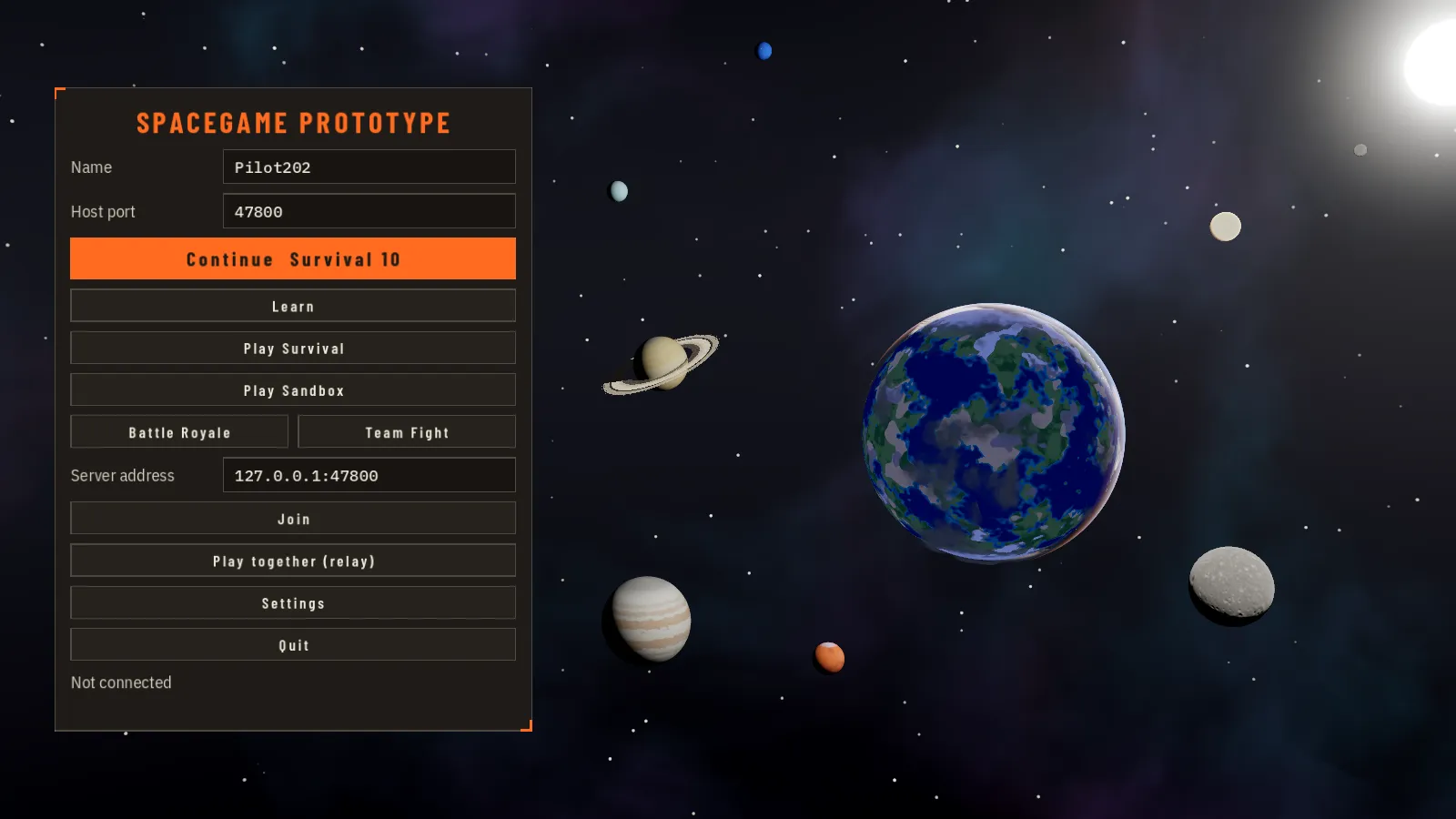
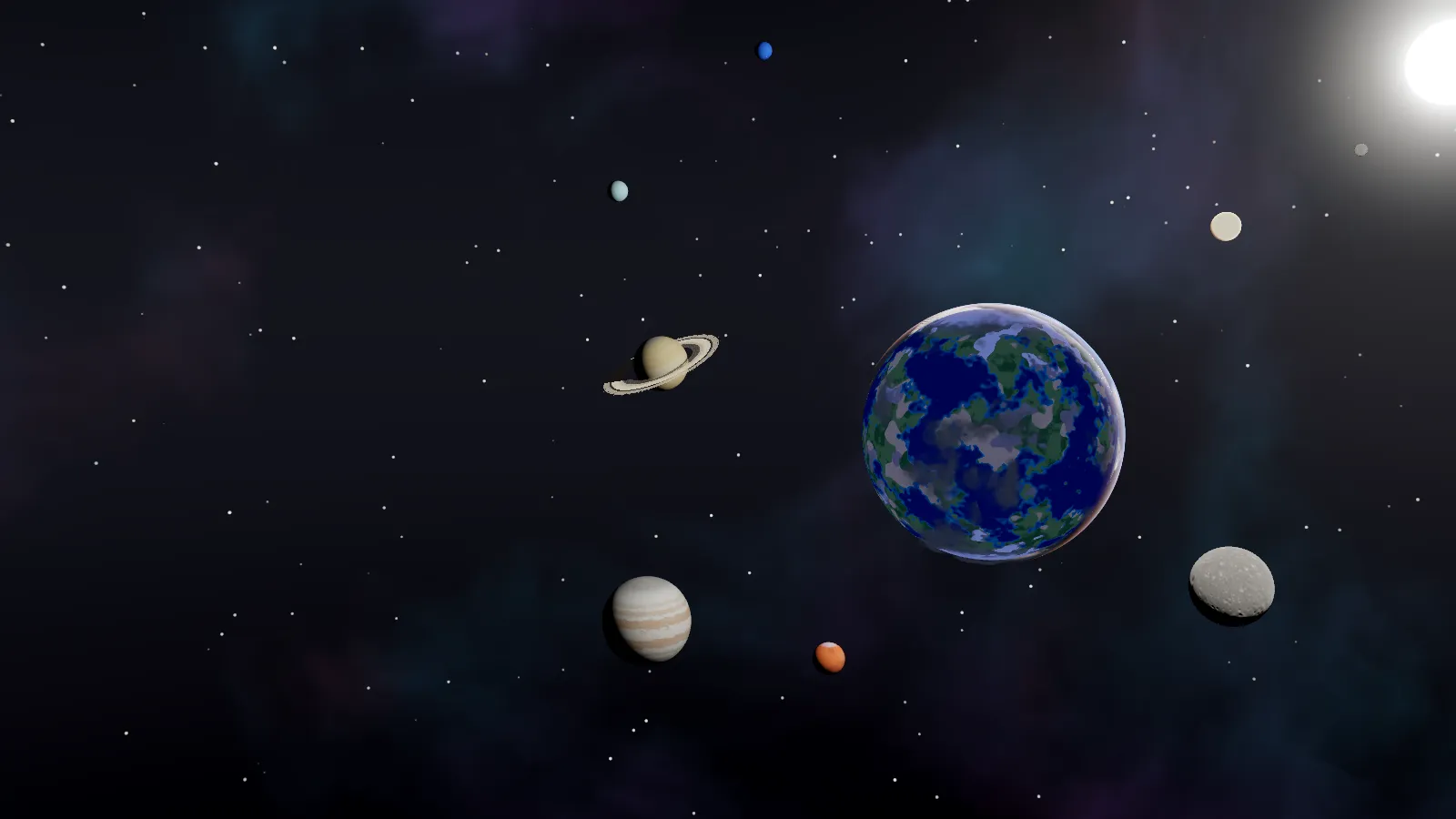
Behind the main menu (no game going; the menu panel at the left): the
Earth out in space, in the middle of what the panel leaves, through a long
lens (38 degrees), the camera swaying slowly round it (some 10
degrees either way over six minutes, rising and sinking, nearer and
further). The sun with its halo top right, behind the
Earth, lighting it from the side; the Earth turning slowly about its axis.
The Moon and the planets set round it in order from the sun, on a spiral:
Mercury and Venus toward the sun (further off), the Earth and the Moon,
Mars just past them below, then Jupiter, Saturn with its rings, Uranus and
Neptune down and round up the left of the picture, each further off and
small. They go round very slowly: the Moon round the Earth, the planets
round the sun, the inner ones faster. The other bodies are lit from between
the sun and the camera, their air and clouds too, as a film would light
them (by the sun alone, behind them, they were black discs). The same
bodies, shells, maps and sky as in the game; leaving the menu, the Earth is
turned straight again and the lens and the light are the game's.
--autotest --menushots takes pictures of it.
#The help library Currentsince 2026-11-22
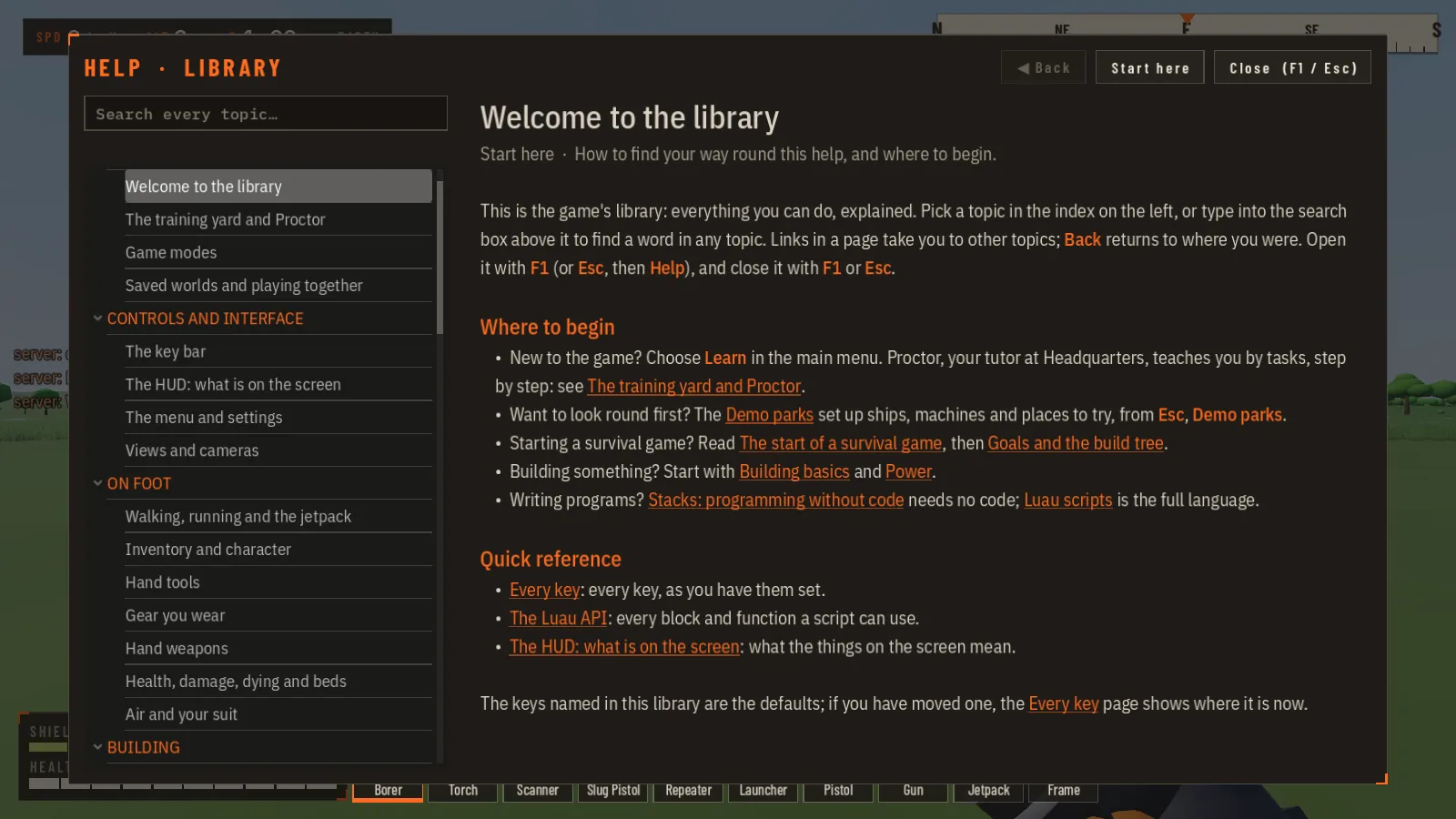
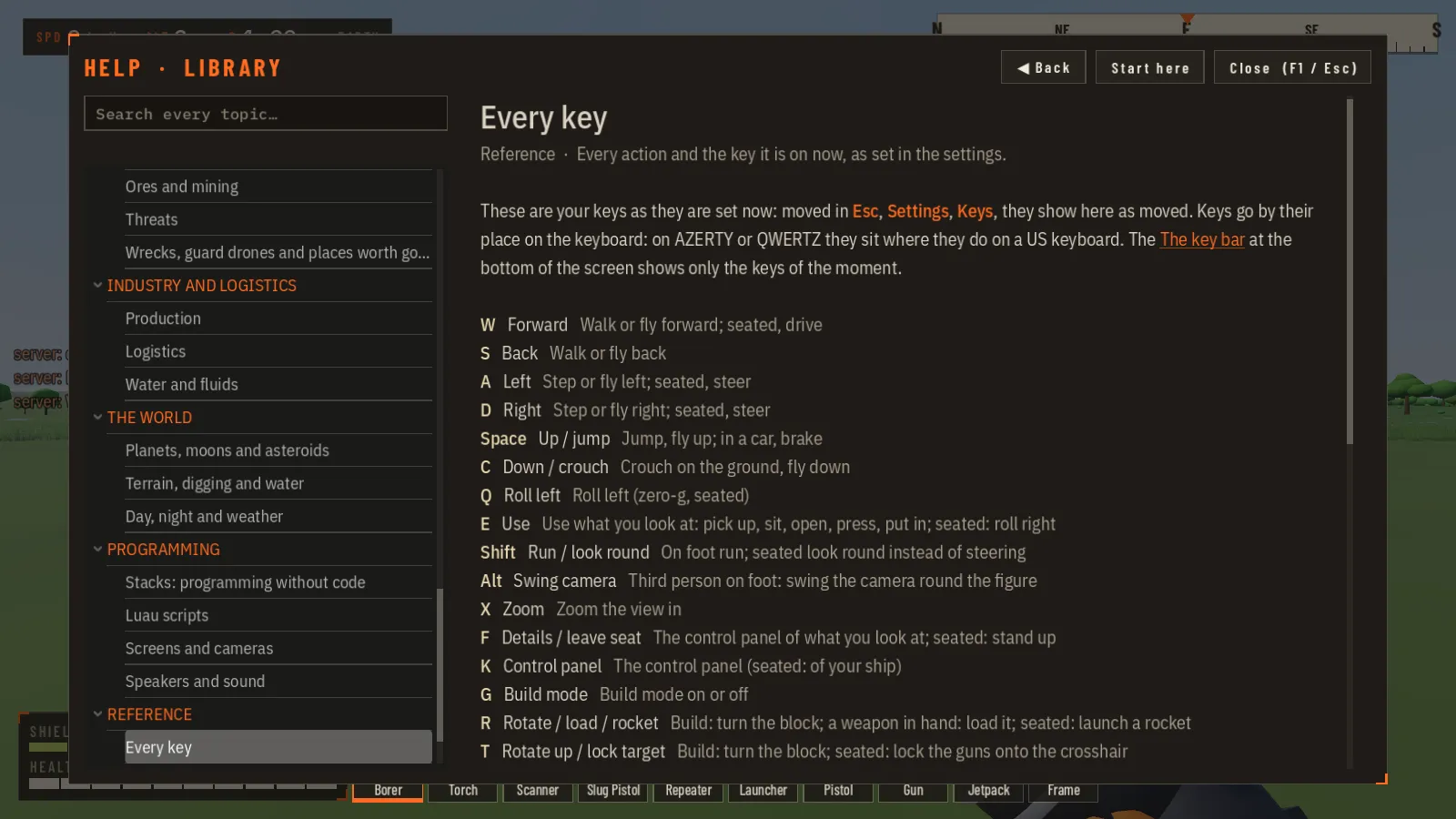
F1 (or Esc, Help) opens the help as a library: on the left an index of every
topic under its section (Start here, Controls and interface, On foot,
Building, Vehicles and flight, Weapons and defence, Survival, Industry and
logistics, The world, Programming, Reference) with a search over all of
them; on the right the topic, with links to others, Back and "Start here".
The topics are written (one file a section; whose tests check every link and generated page). Three
pages are made from the game itself, so they cannot go stale: every key as
bound now, the Luau API (from the definitions the script editor checks
against), and the demo parks (the menu's own list). Chat commands are for
testing in a sandbox and are left out of the library (its tests fail on a
topic that names one); /help in the chat lists them.
--autotest --host --helpshots opens every topic.
#The key bar Currentsince 2026-11-19 only the keys of the moment
The keys that do something right now are at the bottom of the screen, over the hotbar, compact, a row for each kind, its heading first:
- HAND ·
: LMB dig, mend or fire, R load. CARRYING · : E put down or put into the machine looked at, Shift+wheel nearer or farther. - LOOKING AT ·
: E and what it does to it (pick up, put in, sit, open or close, press, lock, switch on or off, play, turn, edit script, fill up), F details. - BUILD ·
(build mode): LMB place, R/T turn (and which way it faces), on a block RMB remove, MMB paint and the paint (Y), H pick (since 2026-11-22: build the block looked at, turned and painted as it is; in survival a crate of it from the hotbar into hand); in the open B ship or station; Tab blocks (sandbox); G done. Out of build mode, BUILD G only with blocks in hand (or in a sandbox). - SUIT: J jetpack and, flying, Z dampeners: only with a jetpack that can fly.
- Seated: FLY (move, up/down, roll, look), GUNS (fire and which groups, lock, auto, and a rocket once locked), SEAT (leave, dampeners, gear lock if the ship has landing gear or connectors). In a bed: get up.
Modes and switches not of the moment (build tree O, block names L, the view
V, the weight map U, the panel K, help F1) are not on it: F1 lists every key,
the settings hold the switches. A toggle that is on is lit and carries a ✓.
The bar shows the keys as bound and named by the player's keyboard; seated
it moves left, clear of the ship's picture. (game.key_hints().)
#The interface's look: Survey Instrument Currentsince 2026-11-19
The interface looks like the faces of a field instrument, not the usual blue space-game glass (chosen from three mock-ups): warm graphite plates engraved in off-white; the suit's signal orange for what matters (headings, what is selected, what to do now); olive for what is on or done; red for danger; amber for fuel and armour. Plates have a hairline round them and orange brackets at two corners; windows a hatched name plate with the name in engraved capitals; bars are cut into even segments, one set of cuts on whole pixels (the shield's 10 points each, health's 10, others a tenth; two sets laid over one another, until 2026-11-20, cut them unevenly); keys are rubber caps; the compass is a cream measuring tape with black ticks and an orange pointer. Type: Barlow Condensed (headings, letter-spaced capitals), IBM Plex Sans Condensed (text), IBM Plex Mono (numbers, keys), all under the SIL Open Font License. The top left is a readout strip (speed, altitude, gravity, the body) and, in survival, the goal card (which goal, its chapter, its name, how to reach it); the other lines the game has to say sit under them. Everything takes its colours, fonts and boxes, whose theme is merged into the default one so that it reaches every control.
#Playing with a controller Currentsince 2026-11-25
A controller (Xbox layout; a Steam Deck's controls) plays as the keys and
the mouse: each button presses the key of an action
(the key it is bound to now), the left stick the walking keys (past 40 %
tilt), the right stick moves the mouse (squared, past a 20 % dead zone,
900 px a second at full tilt, times the mouse sensitivity; in menus it
moves the pointer), the triggers press the mouse buttons. A Space, B C,
X R, Y F, RB E, LB Q, RT left button, LT right button, d-pad up/down the
wheel, left V, right G, Start Esc, View Tab, left stick click Shift, right
stick click X. Settings, Controls, Controller (on by default). The key
bar still shows the keys. --autotest --host --gamepadtest (under Xvfb:
input counts only with the mouse captured).
#Accessibility and settings Currentsince 2026-11-19
From a review of every screen of a survival start (--uitour, which shoots
each one in turn):
- Keys by place, and movable. The game reads where a key sits on the
keyboard, not its letter, so WASD sits under the left hand on AZERTY or
QWERTZ. Every action can be put on another key (Esc, the Keys tab; a key taken
from another action leaves that one on its own key). The key bar, and
Tab/I/O/Enter/F1/F3, follow the bindings. (saved under
[keys].) - Controls: mouse sensitivity (10-300%), field of view (60-110°), invert the mouse when looking round (flying keeps its own "pull back to climb"), and press-once instead of holding for run (Shift; lets go when one stands still), crouch (C; lets go off the ground), zoom (X) and looking round from a seat (Shift).
- Sound: the volume, and under it each kind of sound (jetpack, tools, steps and suit, guns, explosions, engines, machines, weather, speakers) on their own. Sound captions (off by default): gunfire, impacts, explosions and shield hits written out round the crosshair, on the side they come from, with the distance; being hurt and the air running out under it.
- Compass (on by default), top right: which way one faces and, on it, the scanner's finds, the oil field and the nearest wreck with their distances; what lies beyond the strip waits at its end with an arrow.
- Reading: menus and windows are opaque over a dimmed game (nothing of the HUD shows through); the settings scroll when the interface scale makes them taller than the window; the help fits the window at any scale; the hotbar, slot numbers, item names, vitals and the build tree are larger; the build tree marks its states with ✓ and ◐ besides green and amber.
- Less on the screen: the frame graph comes only with F3 (with the
stats), or the setting Interface → Performance info (since 2026-11-26,
saved; F3 turns the setting too); it stands at the top middle, the stats
centred under it, and what else stands there (the block picked, the
browser's sign) goes below them meanwhile (
--autotest --host --perfshots). Its Client row (since 2026-11-28) gives the frame's own parts (ms, smoothed, the biggest first:all,world,grids,planets…), so a slow frame shows whether it is the client's code or the drawing (the frame lessall). Its Terrain row gives the chunks and triangles kept round the player and, of those, the ones in view (the rest the renderer culls). The ground is finer near: a chunk is split into finer ones within 1.75 of its sizes up to cells of 8 m (some 450 m round), the coarser levels later (1.3, then 1.1), so far ground is drawn coarser (compared by--autotest --terrainlodshots); the chat fades 12 s after its last line and shows its scroll bar only while one writes, and it sits below however many lines the HUD has. - The console's history and completion (since 2026-11-23): what one sends is kept (500 lines, between games,
user://chat_history.txt; test runs keep none). Up/Down walk back through it. Ctrl+R searches it as fzf does, drawn as atuin draws it: the letters typed in order anywhere in a line (runs and word starts count more, the newer of two as good), the best at the bottom by the line, each row its distance from the chosen one (">"), how long ago, the first word green, the chosen one bold red, under them "[ GLOBAL ]" and the chosen line in grey; Up/Down or Ctrl+R/Ctrl+S move, Enter or Tab takes it into the line, Esc puts back what was there. As one types, the newest line sent that goes on from it shows after it in grey (Right or End takes it, as fish has it). Tab completes a /command, its name and each word after it, from the words the help's command list gives (/arena oto/arena open, then br|team, then light|medium|heavy); several fitting, as far as they agree and the list of them with their usage over the line.--autotest --consoleshotsphotographs it. - Settings in tabs (Esc): Game (demo parks, fights, build tree, character, suit colour, disconnect), Interface, Controls, Keys, Sound, Graphics; each page scrolls on its own, and the window fits at any scale.
- Menus: Resume first (Esc menu and main menu); the address others join at is hidden until "Show" (it is one's own: not for a stream), "Copy" copies it. The inventory drags a slot onto another (swap) or onto TRASH; Del over a slot throws it away. A machine that takes nothing one carries says so. Seated, the ship's picture says what it is.
- Fixes: the character window names the Rock Borer and Patch Torch one lands with; Tab, I and O no longer open windows over the Esc menu.
#Parties Currentsince 2026-11-26
In the inventory window (Tab or I), under RADIO: PARTY. Alone it says
"none: everyone is an enemy". INVITE lists the players here (bots are not
players): a click invites one; they are told in chat and see "hostile to scripts
(shoots at them). Ships nobody owns (the
world's own) are no one's enemy. Parties are kept in the save; the
invitations are not.
#Zoom Currentsince 2026-11-20
Hold X to zoom the view in (first or third person, on foot or seated),
with the Zoom Lens worn (gear; without it X does nothing; a ship's camera
block zooms with the wheel without it):
4× to start, the mouse wheel sets 1.5× to 10× while X is held (it is
kept). It narrows the field of view, so the scene is drawn anew at the full
resolution, sharp (a thin shot far off gets more pixels), not the picture
scaled up; the camera does not move (moved forward it would change the
perspective and pass into the hull). The crosshair stays the view's middle,
so it points at what it pointed at (--autotest --zoomtest: the same block
under it zoomed and not). The mouse turns as much less as the view is
narrower. The level of detail follows the zoom: what is
in the zoomed view gets the detail it would have as near as it looks (the
terrain's finer chunks, the trees' full meshes, trees out to 4x their range,
grass out to 6x, small stones farther); what is outside it, unseen, is
drawn coarser (terrain as if up to 4x farther: its fine chunks unloaded),
and the view's own chunks are loaded first. Turning zoomed in, the detail
follows the view; let go, all goes back (--autotest --zoomlod: at 4x the
terrain 1.9x the triangles, 2.3x the trees, 4x the grass; --zoomturn: a
quarter turn zoomed in filled in 1.6 s, letting go 1.6 s, debug build).
Terrain meshes go to the renderer as many as fit in 3 ms a frame (12 to
64; was 12), made on up to 12 threads (was 6).
What waits to be meshed is put in order again whenever the view turns or
moves on (what one looks at first, what is no longer wanted dropped).
Zoomed in and swinging round faster than a view's width a second, the
detail stays as it was till the view steadies (a quick quarter turn had
4,700 chunks meshed for the ways swept past, to be thrown away). Finished
chunks no longer wanted are kept hidden 10 s (4,000 at most), so that
turning back or letting go finds them made (--zoomturn, release build:
the quarter turn's terrain filled in 1.6 s, letting go 1.1 s).
Godot's own mesh LOD counts the field of view already. With X held the
wheel zooms, not the hotbar. Zoomed in, the
first-person arm and what it holds are not drawn. A ship's camera blocks
zoomed already (the wheel, through them).