#Displays and camera screens Current
A display block is a screen on its forward face. Display blocks of one grid, side by side, facing the same way and filling a rectangle (up to 8 by 8 blocks), are one screen; any other arrangement is a screen per block. It shows one of:
- Its picture, 32 x 32 pixels a block (a 3 x 2 wall is 96 x 64) in 256 colours. Scripts draw on it through any of its blocks (clear, pixel, rect, line, text in a 5 x 7 font); the panel's TEXT writes on it. The server keeps the picture (and saves it) and sends it to the players near by when it changes: ten times a second at the most, run-length encoded, 24 kB a time to a player at the most, nearest screens first.
- A camera's view: SHOW on its panel picks a camera of its
construction (scripts:
set_camera(name)). That is every camera across its joints (rotors, hinges, pistons, gimbals: a turret's sight), on what is docked to it, and, over the radio, on every station its antennas hear (same channel, within 3 km), named "/ " (since 2026-11-19). A camera that goes out of reach (out of range, off the channel, undocked) leaves its screens dark until it is back. (A station more than 1.5 km off shows its grids but not the ground: the terrain is only sent that far.) Each player's game renders it itself, so it costs the network nothing: 64 pixels a block, at most 320 x 240, 15 times a second, and only for the three nearest screens within 60 m that one sees the front of (the others show dark glass). A camera view never shows screens that show camera views.
Why these sizes: 32 pixels a block makes 4 lines of text a block row, and a whole 8 x 8 wall is 64 kB before compression; camera views cost a render of the world each, so they are few, small and slow compared with the main view, and only drawn where someone looks at them.
The gunnery range's turrets each have a sight (a camera on the gun) and a 3 x 2 screen at the back of the base showing it.
The display park (/screens, scene screens) shows what screens are
for, one stand each, every one a script you can
read and change:
-
Control room wall, 8 x 4: clock, the sun over a horizon, battery and solar bars, an 18-minute graph of the solar output, and who its sensor sees in the park.
-
Radar scope, 4 x 4: a sweeping scope of what its radar sees (three drones hover out ahead), contacts lit as the sweep passes, with distances.
-
Security desk, 3 x 2 and four 1 x 1: four cameras on top look four ways; the buttons on its console pick which one the screen shows, the little screen over each names its camera and lights up while it is on.
-
Reaction game, 2 x 2 and a button: press, wait for green, press; the best time is kept in the script's storage.
-
Welcome sign, 2 x 1 and a sensor: greets whoever steps up by name and counts the visits.
-
Game of life, 6 x 3 and a button: 32 x 16 cells; the button sows it anew.
-
Touch pad, 4 x 3: touch a colour along the top, then cells to paint.
-
Chess (since 2026-11-20), behind the onlooker and facing them: an 8 x 6 screen for the audience (the board with its files and ranks, who plays white and black, whose move, check and mate, the last ten moves) and at either end of its plinth a 3 x 2 board for each player, facing out to the side, showing the board from that player's side. Touch one of your pieces on your board (it lights green, dots where it can go), then where it goes; only on your turn, only legal moves (check, castling, en passant; a pawn at the far end becomes a queen); mate and stalemate end it (no draw by repetition or the fifty-move rule). NEW on a player's board, touched twice (once when the game is over), starts again. The game is kept in the script's storage, so it lasts through a save. One computer runs all three screens.
-
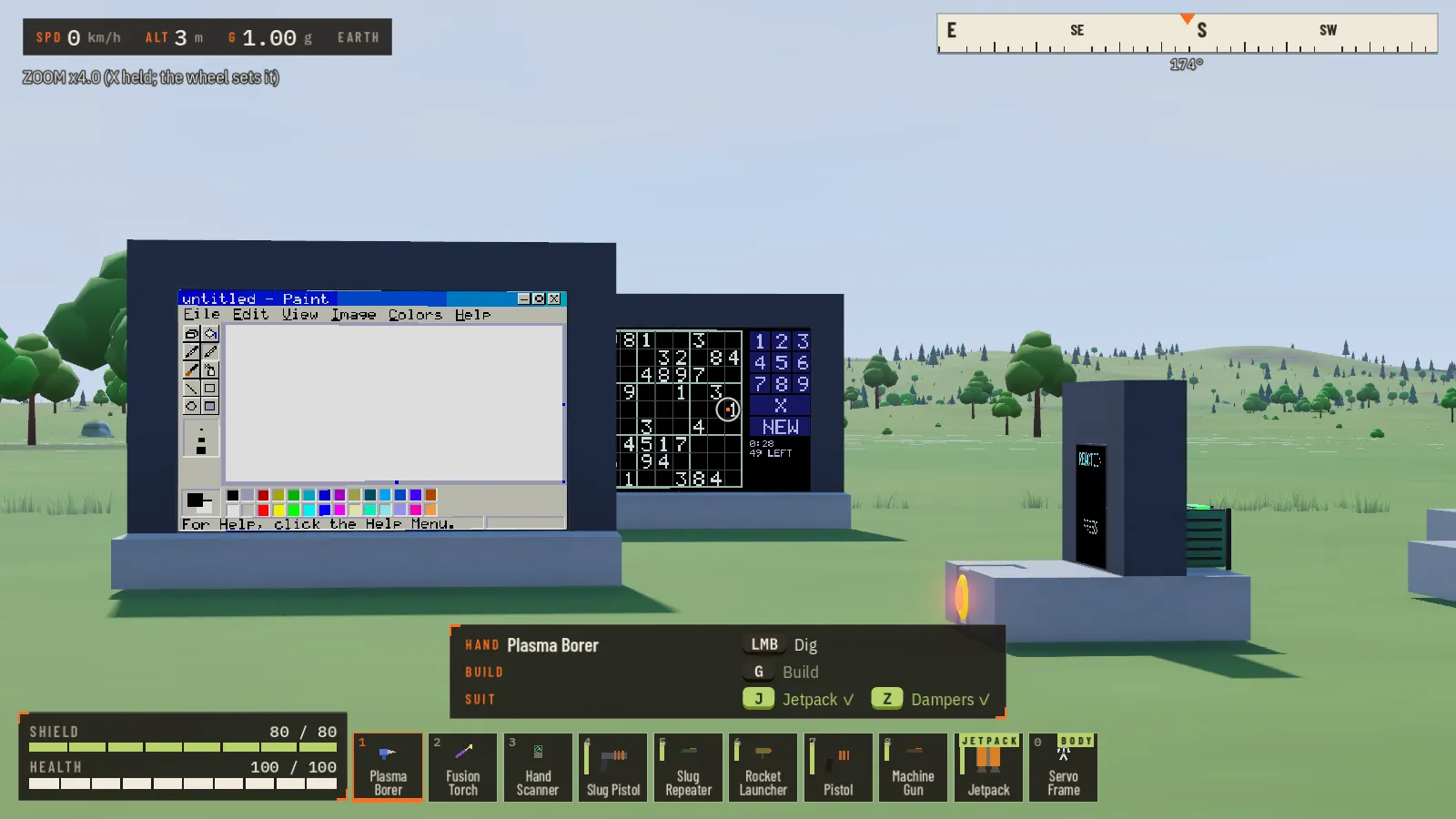
Paint (since 2026-11-20), to the onlooker's left: an 8 x 5 drawing wall for everyone, made to look like the old Paint program (title bar "untitled - Paint", File Edit View Image Colors Help, the toolbox, the 28-colour box, the status bar with where one draws). Tools: eraser, fill (spreads a few thousand pixels a tick, as it seemed to), pick colour, pencil, brush, airbrush (held, it keeps spraying), line, rectangle, ellipse, filled box (shapes show as they are dragged and are drawn on letting go). Each player has their own tool and colour. Edit undoes (three steps, as Paint did), File touched twice starts a new picture. The picture (222 x 106) is kept in the script's storage, so it lasts through a save.
-
Sudoku (since 2026-11-22), far out to the onlooker's left past the Paint wall, facing them: a 7 x 5 screen, the board on its left, a keypad (1-9, X, NEW) on its right. Touch a square, then a number (X clears it); the given numbers stay; a number that clashes with another in its row, column or box shows red, and every square holding the number of the one picked lights up. A full board with no clash is solved and shows the time it took; the timer and the squares left show meanwhile. NEW deals a new puzzle (touched twice while one is unsolved): a full board from a pattern, shuffled (digits, rows in their bands and the bands, columns likewise, maybe turned over the diagonal), with 48 squares taken away in pairs opposite each other (any filling that keeps the rules counts as solved: the puzzle need not have one answer). Kept in the script's storage.
-
Race seat (since 2026-11-21), to the onlooker's right: a seat facing a 6 x 4 screen with a lap board over it, and out beyond it a race track: a stadium of two 70 m straights and two bends 24 m round, 12 m wide, marked by red and white posts, a chequered start gate, the trees felled. Sitting in the seat, W/S drive and A/D steer a little red car on the track (Space brakes) by radio: the seat's computer reads the pilot's keys (
cockpit.controls,cockpit.pilot: new for scripts) and sends them to the car ("Racer"), whose computer drives its side wheels (steering less at speed), times its laps through ten checkpoints round the track (the best lap kept in its storage) and sends back its speed and times. The screen shows the car's chase camera over the radio, the board the lap, its time, the speed, the last and best laps. C held a second in the seat, or the Reset Car button, puts the car back behind the start line; so does lying on its back for 3 s. The car and the seat keep their batteries full.
Touching screens: on foot, the left mouse button on a screen touches it
(instead of the tool in hand working): every computer of its construction
hears where, in its pixels, as on_touch(x, y, screen, player). Held,
the touch goes on (since 2026-11-20): on_drag(x, y, screen, player) 20
times a second while the button is held (where one looks on that screen,
moved or not) and when it is let go; scripts without them
hear only the press, as before. Touch panels, menus, games and drawing
are scripts. (A construction's screens are laid out before a script on it
starts, so a script that reads a screen's size as it loads gets its real
size, not one block's.)
#Web screens, microphones and speakers Currentsince 2026-11-23
Off unless the host allows them (since 2026-11-25): a game hosting
runs the pages only with Settings > Interface > Web screens in games I
host on (off by default; kept, [hosting] web_screens), since the host's computer opens whatever address a player
types in. A development build (run from the project, the autotests) always
runs them. With them off, the screens stay dark with the address on them.
A dedicated server never runs them.
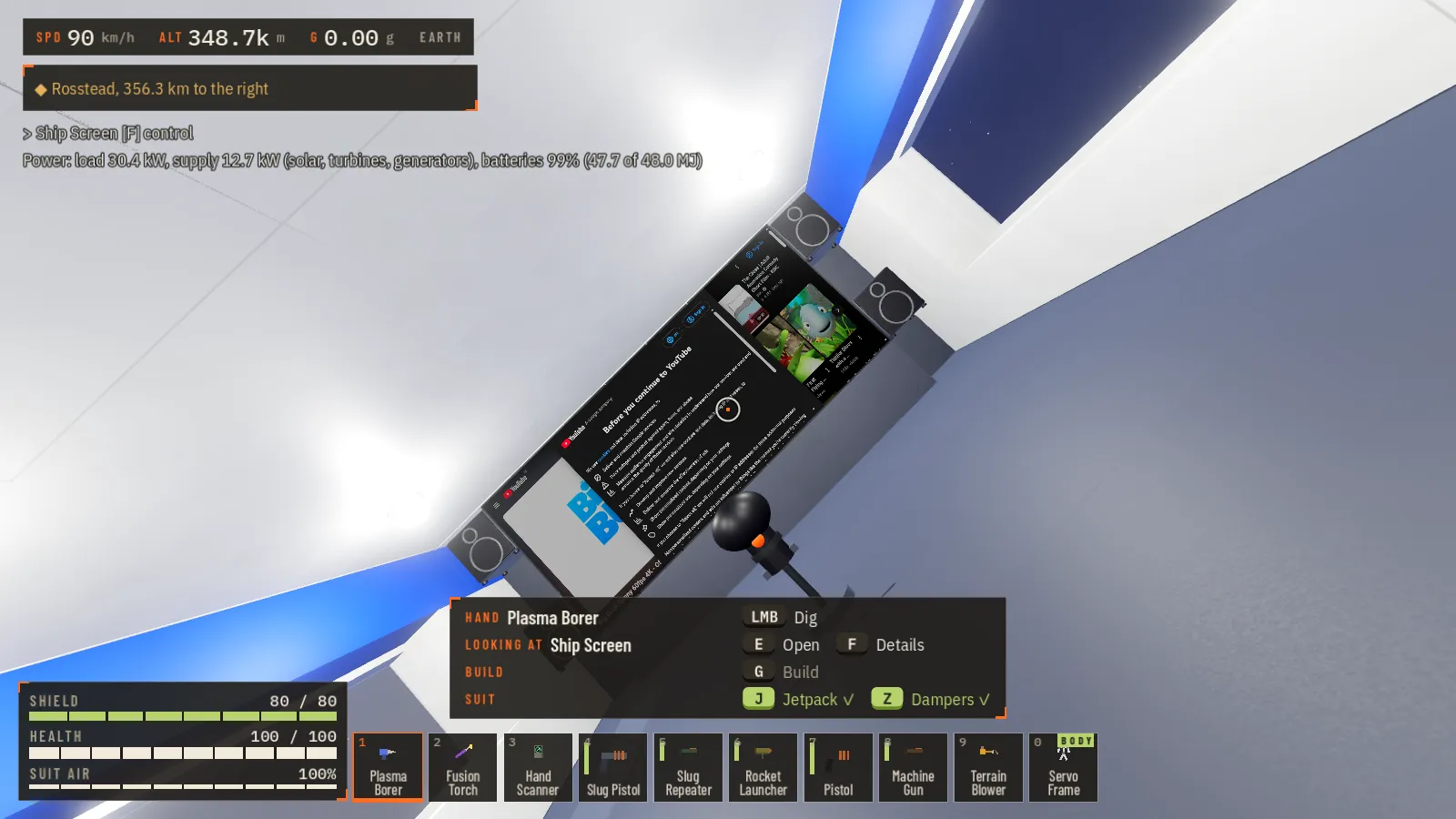
A display's panel can SHOW a web page: an address (http or https; not the host's own machine or network: no localhost, private addresses, bare names or file pages, since the host's browser opens it). The page is the host's: the hosting player's game runs Chromium (CEF) for every web screen a player is within 80 m of, at up to 1280 x 960 pixels (as the screen's shape allows), 30 frames a second; the server keeps only the address (saved). One browser, shared: what anyone does to the page, everyone sees. Clicking a web screen (left button, on foot, within 12 m) clicks the page; the wheel scrolls it; once clicked, keys go to it (Esc stops; walking away stops it), and while they do a bar at the top of the screen says so, its blue edge pulsing: "BROWSER HAS THE KEYS · <the screen's name> · Esc to stop" (since 2026-11-24: before, nothing showed that one's keys were going to a page). The panel has BACK, FORWARD, RELOAD, CLOSE, and shows the page's title and where it is. A page never goes inactive (asked 2026-11-28): in hand or not, it reads visible and focused, is told of no window blur, visibility change or freeze, and its timers run at full rate (and the switches). It is still closed when no player is within 80 m.
A speaker can play a web screen of its construction (PLAYS) instead of
its own sound: the page's sound, all the time. The microphone (a new
block) hears the player standing within 4 m of it, through their own
microphone, and gives it to the web screen it is set to (INTO) as that
page's microphone (getUserMedia); a page asking for a camera gets a
picture saying there is none. One's microphone is evened out on the way
(since 2026-11-28): a quiet one is raised (up to
+24 dB) and a loud one lowered to the same loudness, slowly up and quickly
down; silence and room noise are not raised, and a soft limiter keeps a
shout from clipping.
Not yet: players who joined someone else's game see web screens dark (the picture and sound are not streamed to them yet). Chromium renders on the GPU and hands its frames over as pixels (its zero-copy GPU buffers come out empty with NVIDIA's driver: tries them).
The Browser demo park (/spawn browser, Demo parks: Browser): a ship
drifting through space at 25 m/s, out past the Earth's pull in the sun, you
in its lounge: a 7 x 3 web screen on its front wall (Wikipedia's main
page), four speakers round it playing it, a microphone on a stand before
it, a seat at the back, lamps, gravity. All of glass since 2026-11-26:
windows on every face of its hull and its floor, angled windows round
every edge, angled window corners where three edges meet, one sheet of
glass all round (shots: --autotest --host --glassshots --shots DIR).
#Scripts and blocks that are shot off Currentsince 2026-11-21
A computer goes on with what is left of its construction:
- A dead block (destroyed, taken apart, on a piece broken off, or never
there): calls on it do nothing; it reads as a block of its kind switched
off (
existsfalse, health 0, every reading nought or false: no nil, so sums and comparisons with it do not stop the script). So with one gun of many shot off, the loop over the guns goes on and the others fire. grid:block(name)of a name that belongs to the construction but is shot off (a projector of it shows it as a ghost) gives a dead block, not nil, and says so once in the script's output ("'...' is missing (shot off?)"): a damaged ship's script starts (after a load, an upload) and runs with what is left. A name it never had is nil, as ever (a loop counting "Turret 1", "Turret 2"... until one is not there ends). (.existstells.)- Found again: a handle from
grid:block(name)that is dead takes up the block of that name and kind that is there now. And a block welded back in from a projection, the same kind in the same place, is the same block, its id again, so every handle on it (fromgrid:blocks()too) has it again. So a ship repaired by its welders (PROJECT ITSELF) has its guns, engines and screens back in its scripts without restarting them; after a load, by name.
The examples ask for at least one wheel, not four (a rover with a wheel shot off still drives on its script).
#Stacks: programming without code Currentsince 2026-11-21
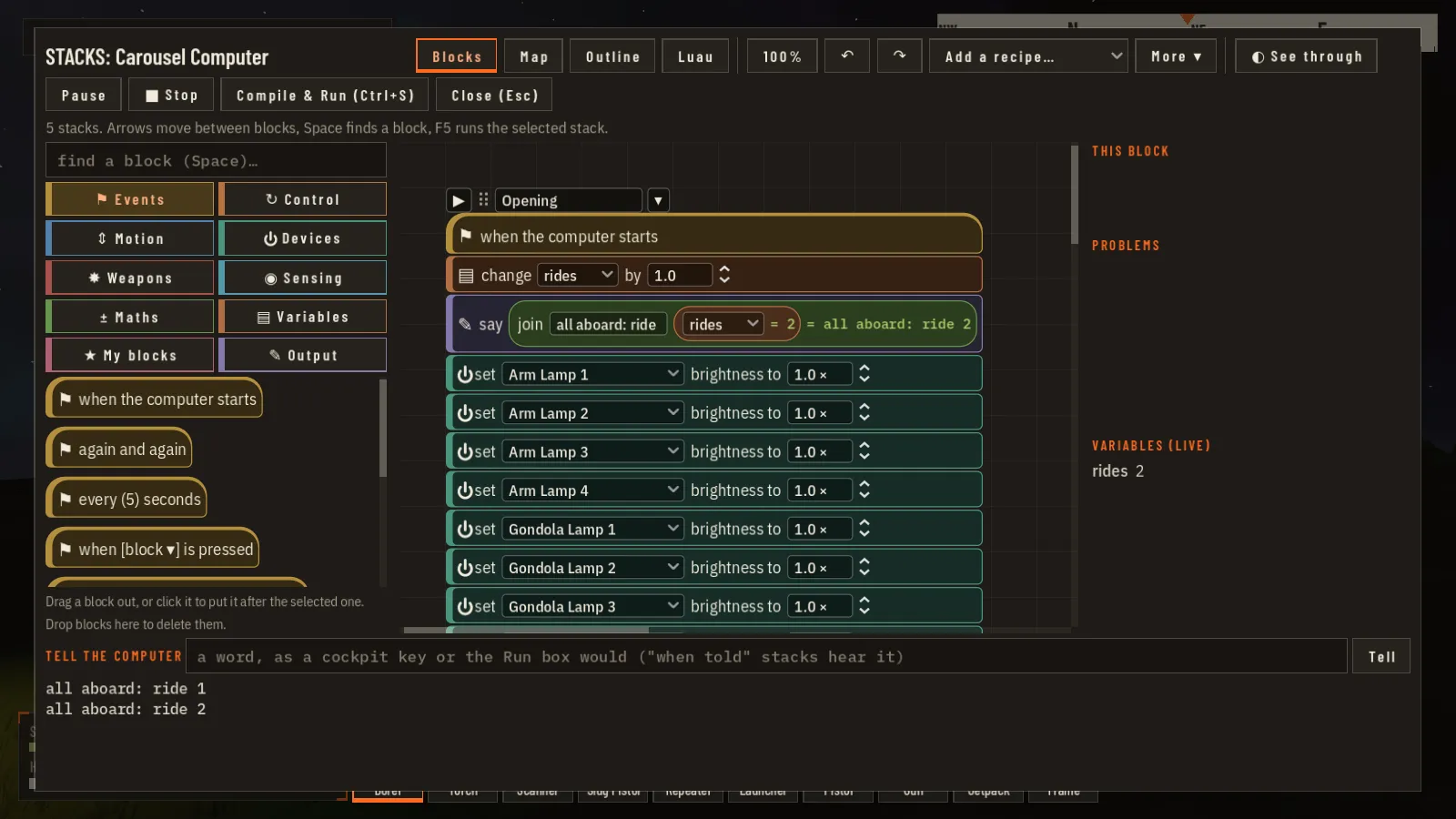
For players who do not write code: a computer is programmed with blocks that snap together into sentences ("when Hangar Switch is pressed → open Hangar Door → wait 5 seconds → close Hangar Door"). EDIT STACKS on a computer's panel opens the editor; EDIT SCRIPT still opens the Luau editor. Stacks are the step between the panels and Luau: what they make is shown as Luau, and can be carried on as a script.
- Kept in the script: a stack program is the Luau it is compiled to, with the program itself as JSON in a comment at the end. Saves, blueprints, projectors and the network carry it as any script; nothing in the sim knows about stacks but the live state below.
- Shapes tell where a block fits: hats (events) start a stack; commands stack; C-blocks (repeat, if, forever) wrap; round blocks are values, pointed ones yes/no, and fit only slots that take them. Ten categories, each a colour (toned down toward the interface's warm grey: the marks for selected, running and wrong keep full strength) and an icon and a name (never colour alone): Events, Control, Motion, Devices, Weapons, Sensing, Maths, Variables, My blocks, Output. Events: starts, again and again, every N s, a button pressed or switched, a sensor seeing or losing someone, a word told (the Run box, a cockpit's action key R/H/N, another computer), a condition becoming true, a block destroyed.
- How it runs: each stack with an event on top is a coroutine resumed once a run. "wait" yields; loops yield at the end of each pass, so a stack can never freeze the computer. "move a piston to 3 m" and "turn a rotor to 90°" go on at once and are driven by the runtime until they arrive (slowing down as they get there); "wait until all moves are done" waits for them. A stack is not started again while it runs. Variables are kept in the script's storage, so they last through a save.
- Blocks of one's own: "define NAME with inputs a, b" and "do NAME"; "input a" reads one. Stacks have names: "start stack NAME".
- Seeing it run: while the editor is open it asks for the computer's
state (renewed each second, kept 3 s); the
script hands it over (
__stacks_live) and the server sends it to whoever watches the grid: the running block lit (a green glow round it, its fill tinted, a thick green edge), the blocks it is inside (a repeat, an if, the define) edged a softer green, the stack's strip marked "running", each round block's value beside it, the variables listed. - See-through (the button, Ctrl+T): the editor's background nearly clear, the blocks a little clear, the backdrop and the HUD (and chat) gone: the machine it drives works in the world behind it, the running blocks lit as it goes. ▶ (or F5, or a double-click) runs one stack; Pause holds every stack and move; Stop ends them. A run-time error marks the block it came from.
- Problems in plain words, on the block: a slot without a block, a name the ship does not have, a block of the wrong kind ("Drill is a drill: this block wants a piston"), blocks under a "forever", a wait in an "again and again" stack. Red ones keep it from being saved.
- Views: BLOCKS (the canvas); MAP, the stacks as a state machine: each stack and block of one's own a state, what starts it from outside (the computer starting, a button, a word told) on the left, arrows to where each can go (start stack, do, tell, tell another computer; "stops" dashed, shown for the state looked at), the running ones lit, a click lighting a state's arrows, a double-click opening it; OUTLINE, the program as sentences (to read, or for a screen reader); LUAU, what it is turned into, the selected block's lines lit.
- "its": a round block reading the very block the block it sits in names shows as "its..." ("move Drill Piston to its lowest extension", "if it is open"), not naming the block twice: shorter, and one line fewer. A click on "its" brings the block's slot back, to read another block. The outline says it the same way. (Since 2026-11-22.)
- Long blocks break: a block's words and slots go on one line while it is under some 460 px wide, else onto more lines, indented, where a word or a slot ends; a round block in a slot breaks the same way, a little narrower each level in, so a long sum keeps to the width too.
- Zoom: the mouse wheel over the canvas zooms (40% to 200%, about the point under the mouse); dragging the empty canvas (left or middle button) moves the view; Ctrl + plus, minus and 0, and the percentage in the top bar (a click: back to 100%).
- Without a mouse: arrows move between blocks, Enter edits the first slot, Space finds a block (typed words) and puts it after the selected one, Delete, Ctrl+C/X/V/D, Alt+Up/Down moves a block, F5 runs its stack, Ctrl+Z/Y, Ctrl+S saves. A palette block clicked (not dragged) goes after the selected one. Drops land on the top or bottom half of a block, into an empty mouth, a slot, the canvas (a new stack) or the palette (gone).
- Comforts: undo and redo (a burst of typing is one step); what is not saved kept when the editor closes; each Compile & Run kept as an earlier version (More, Earlier versions; also the Luau script stacks replaced); deleted stacks brought back; a comment on any block (right-click); sticky notes; stacks folded, named, tidied, and pushed apart where they lie over one another (level ones sideways, else the lower one down); a block of the world picked for a slot by looking at it (Enter takes it); a block renamed on the ship renamed in the stacks; recipes (automatic door, airlock, drill on a switch, low power alarm, gun on a switch, piston up and down, the drill tower); the whole program copied as text and pasted into another computer; "Turn into a plain Luau script" (More). Edited by hand in the Luau editor, a stacks script becomes a plain one.
- The drill tower runs stacks: "Mine" goes hole by hole (two rings: 7 at 3.6 m out round the front, 14 at 6.4 m but not behind), each by "do dig a hole" (raise, swing and reach, then feed the drill down with the mast); "Stop", "Start" and "Feed speed" answer the words told. It drills 5 holes in its first 75 s; the Luau one stays among the script editor's examples.
- Not yet: lists; editing in the outline; several people editing one computer's stacks at once (the last to save wins); a block's place in the world lit when its name is hovered.
#The stacks demo Currentsince 2026-11-22
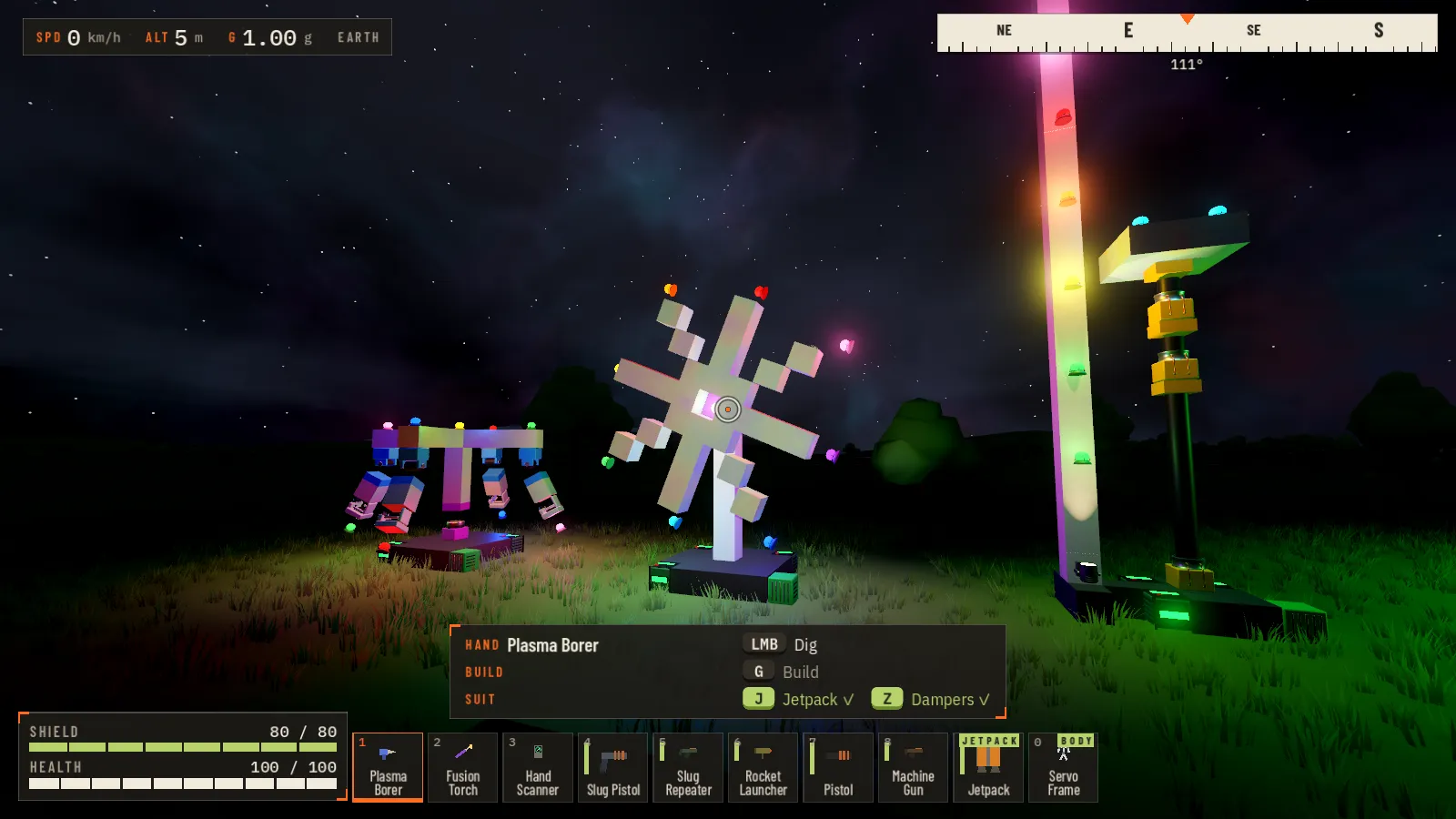
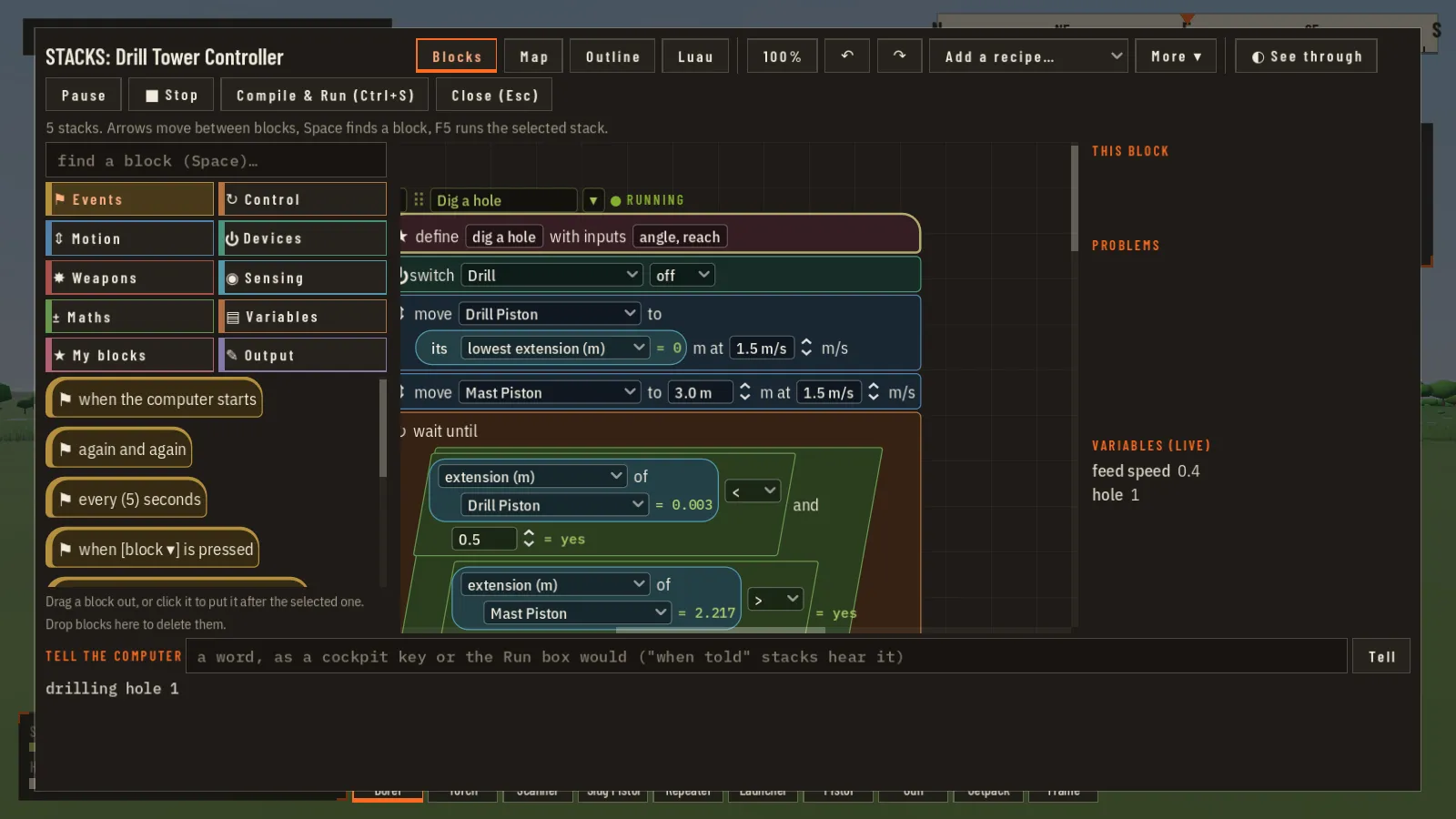
Esc, Demo parks, Stacks demo (/stackspark): a
little fairground at dusk (19:18), four rides in a row before an onlooker's
platform, each run by a computer programmed with stacks (F on the computer
by its base, EDIT STACKS). Each ride's show is a ring of states: a
stack per state, each starting the next when it is done ("start stack"),
the last the first again; only the first has an event (the computer
starting), so the MAP shows the ring clean, the state it is in lit.
- Lantern carousel (Opening, Spin up, Light show, Slow down, Lights out): a rotor, four gondolas on free swings (they swing out by themselves), lamps on the arms, the crown and under the seats; the arms flash by twos in the show; it counts its rides ("rides", a variable).
- Wheel of light (Rainbow, Turn, Sparkle, Stop, Rest): a wheel standing up on a rotor, a rainbow of eight spoke lamps; a light runs round it, it turns, the odd and even lamps flash by turns, it stops upright.
- Drop tower (Board, Climb, Hang, Drop, Rest): three pistons lift a ring of lamps 15 m; a mast beside it lights green to pink as it climbs; two searchlights; it blinks at the top, counts down and drops.
- Swing ship (Push off, Swing high, Calm down, Still): a boat on a hinge in a frame, swinging to 60° each way, the lamps at the end going up bright, the other end dim.
The batteries are kept full. A stack another starts no longer gets the "no event block on top: runs only when you click it" note: it is a state.
#A computer's screen shows its script Currentsince 2026-11-18
A programmable block's own screen (not a display block) shows the script in it, with line numbers, green on black, scrolling slowly up a line at a time and round again; "no script yet" when it is empty. Only the nearest six within 25 m draw it; the client asks for the scripts quietly every 10 s to keep up with edits (the answer does not reach an open editor). The block park's computer holds the "Hello World" example.
#Stay awake: a computer that keeps its construction running Currentsince 2026-11-26
Far from every player a construction sleeps (the server's,
2 km). A computer's panel has STAY AWAKE:
on, its construction keeps running however far away it is, its scripts,
motors, guns and physics as near a player. A script sets it itself with
me:set_stay_awake(true). It is kept in the save and in blueprints.
What one leaves running costs the server as anything near a player does:
the air traffic's planes and ground stations stay awake so, the rest of
the world sleeps.
#Autopilots: a computer holds a cockpit's controls Currentsince 2026-11-27
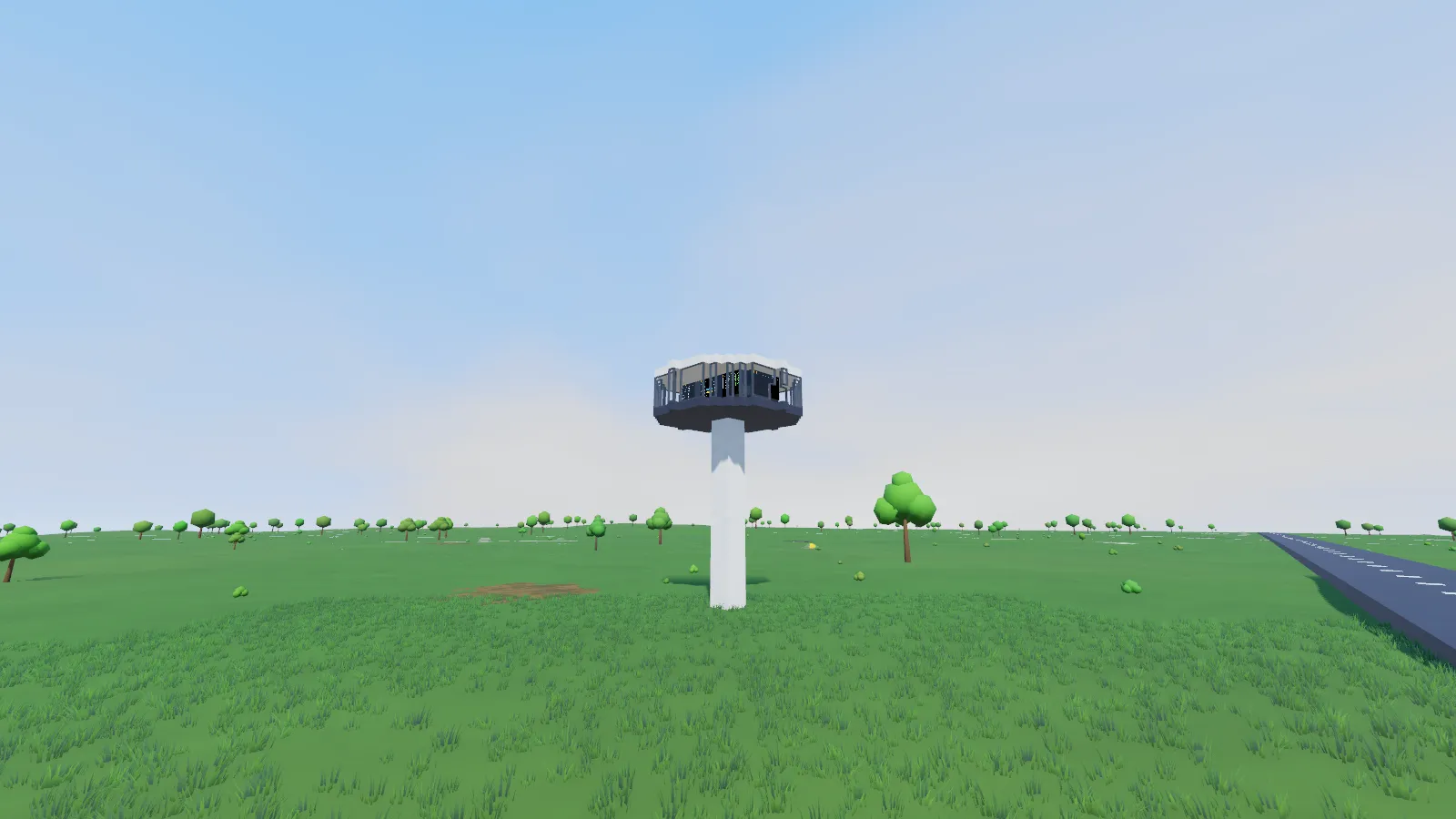
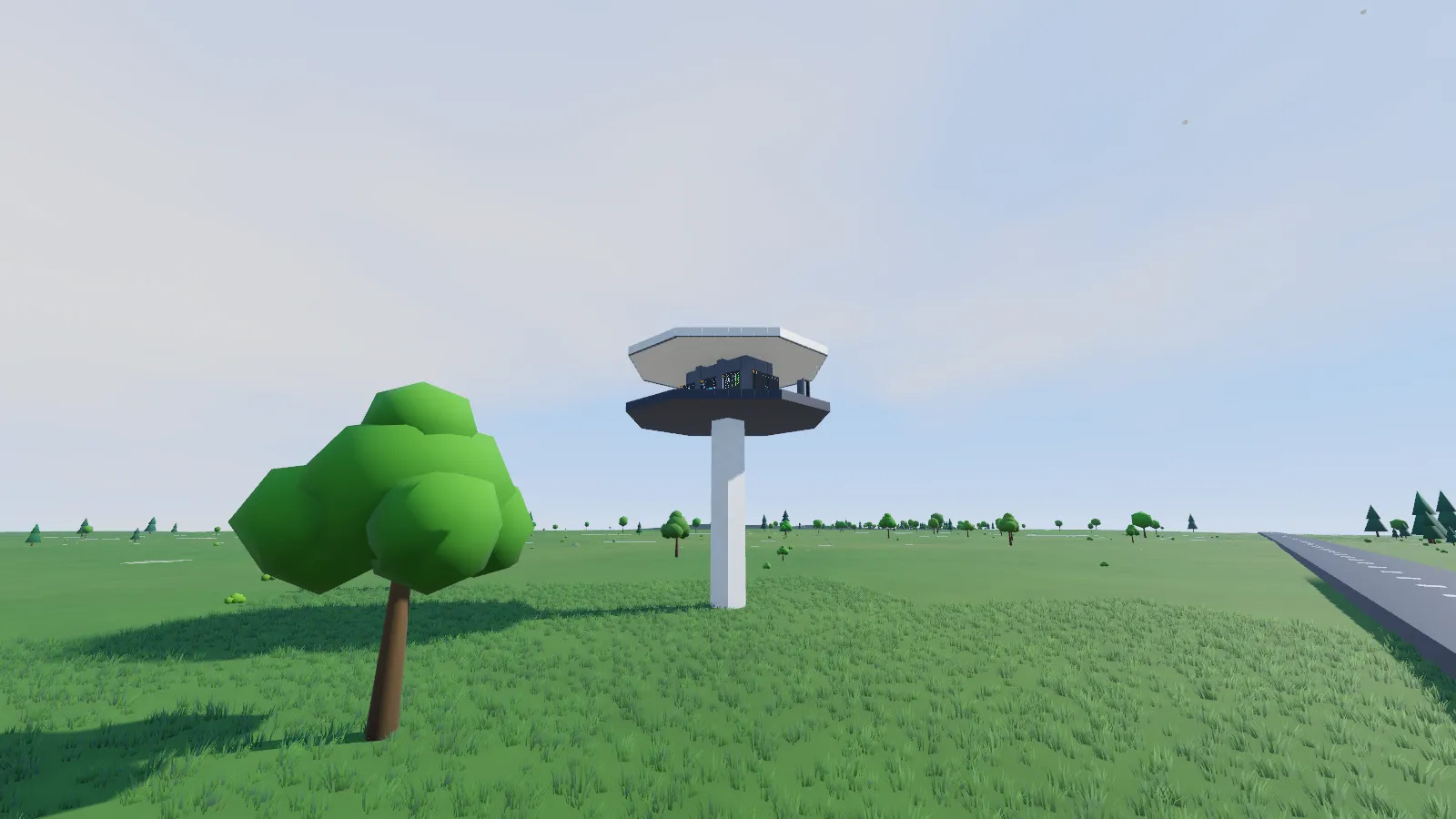
cockpit:set_controls(move, turn, dampeners) holds a cockpit's controls
as a pilot would: move the keys (x right, y up or the brake, z forward),
turn the stick (turn rates about the cockpit's axes; in a plane's flight
mode y is the roll), the dampeners (on if left out). The cockpit flies so,
with a pilot in it or none, until the script sets them again; both nil
gives it back to the pilot (not saved: a
running script holds them again). A script's thruster and gyroscope
overrides are set quietly, with no control update sent to
the players for each (since 2026-11-28: the space traffic's drones, each
setting every thruster each tick, ran the reliable channel out and the
player was dropped); the plumes still show what a thruster gives, but an
open control panel does not follow them. What the world drives itself goes this
way: the racers' vehicles (see 11-world) and
the air traffic park's planes, each flown by its "Autopilot" computer
(the takeoff roll, climb, cruise, the descent to a
fix on the runway's line, the final down a 3.5 degree slope, the flare,
the rollout; its flight plan in its storage, its phase written back there
for the traffic control; at cruise it looks every 10 ticks). The flights
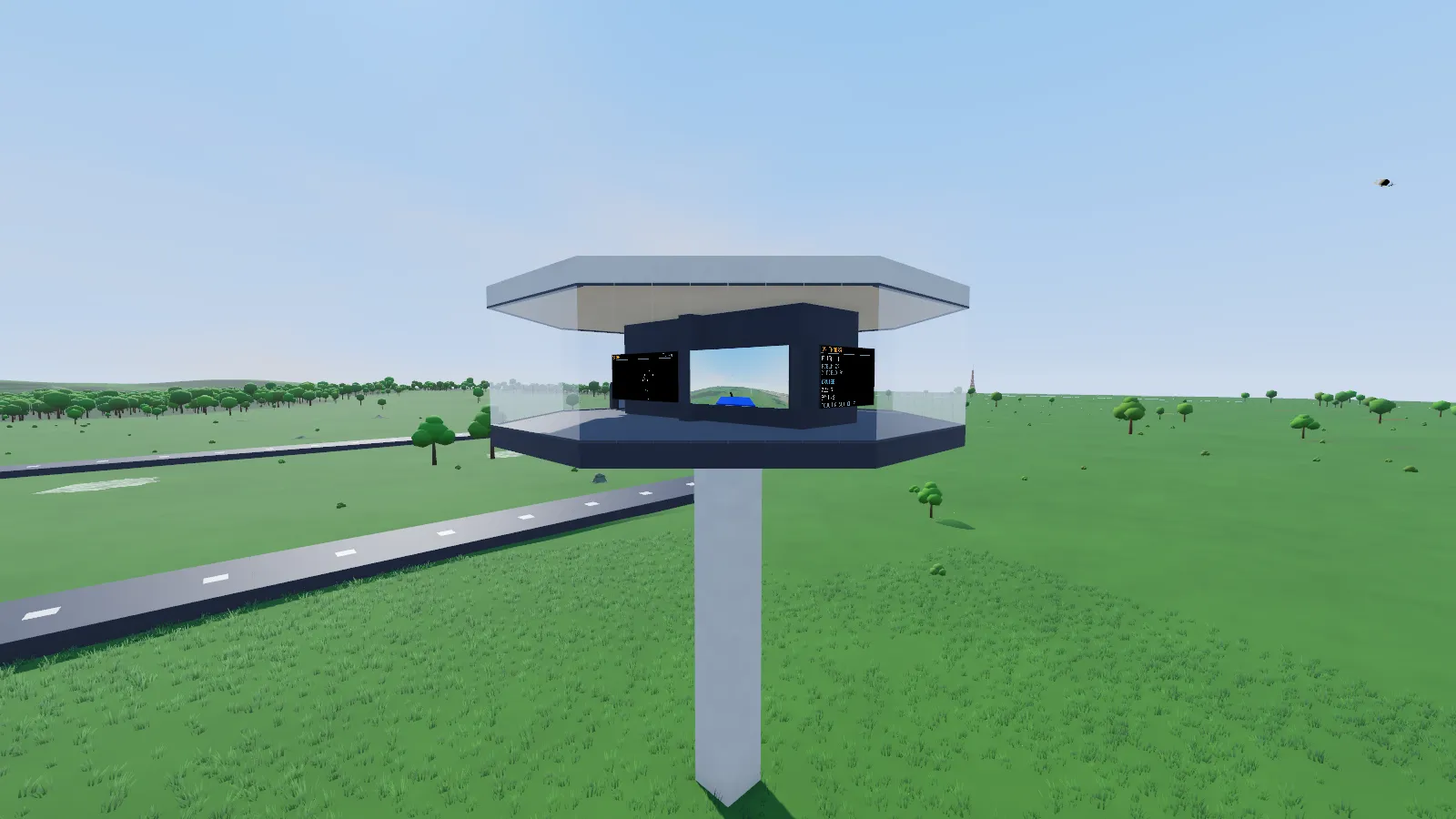
themselves are set out by the park's control tower beside the first
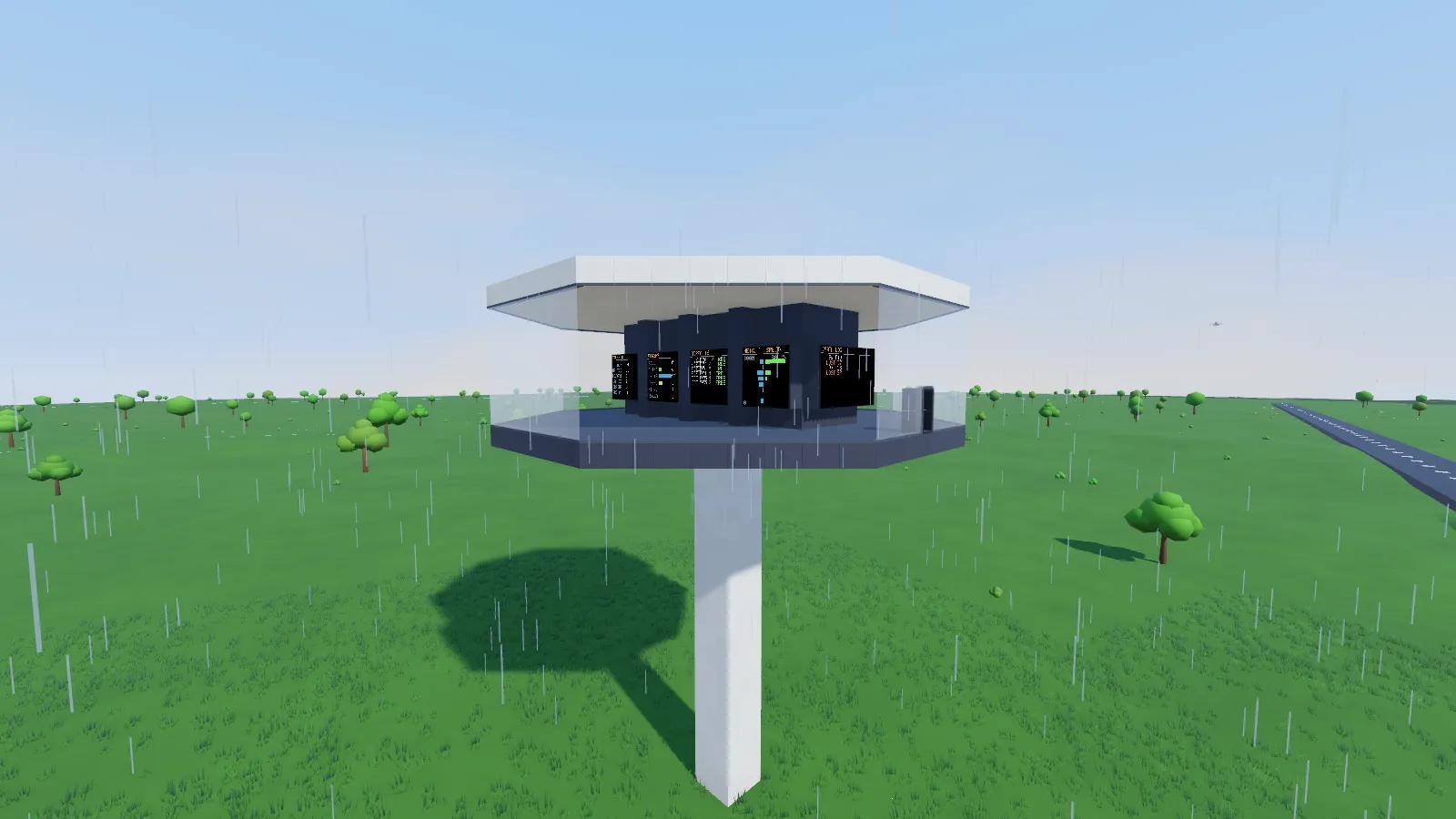
airport: a white stem 23 m high under an octagonal room 25 m across and
6 m high, walled all round with glass (angled windows on its slanted
sides: one sheet, no gaps), two doors toward the runways; in the room a
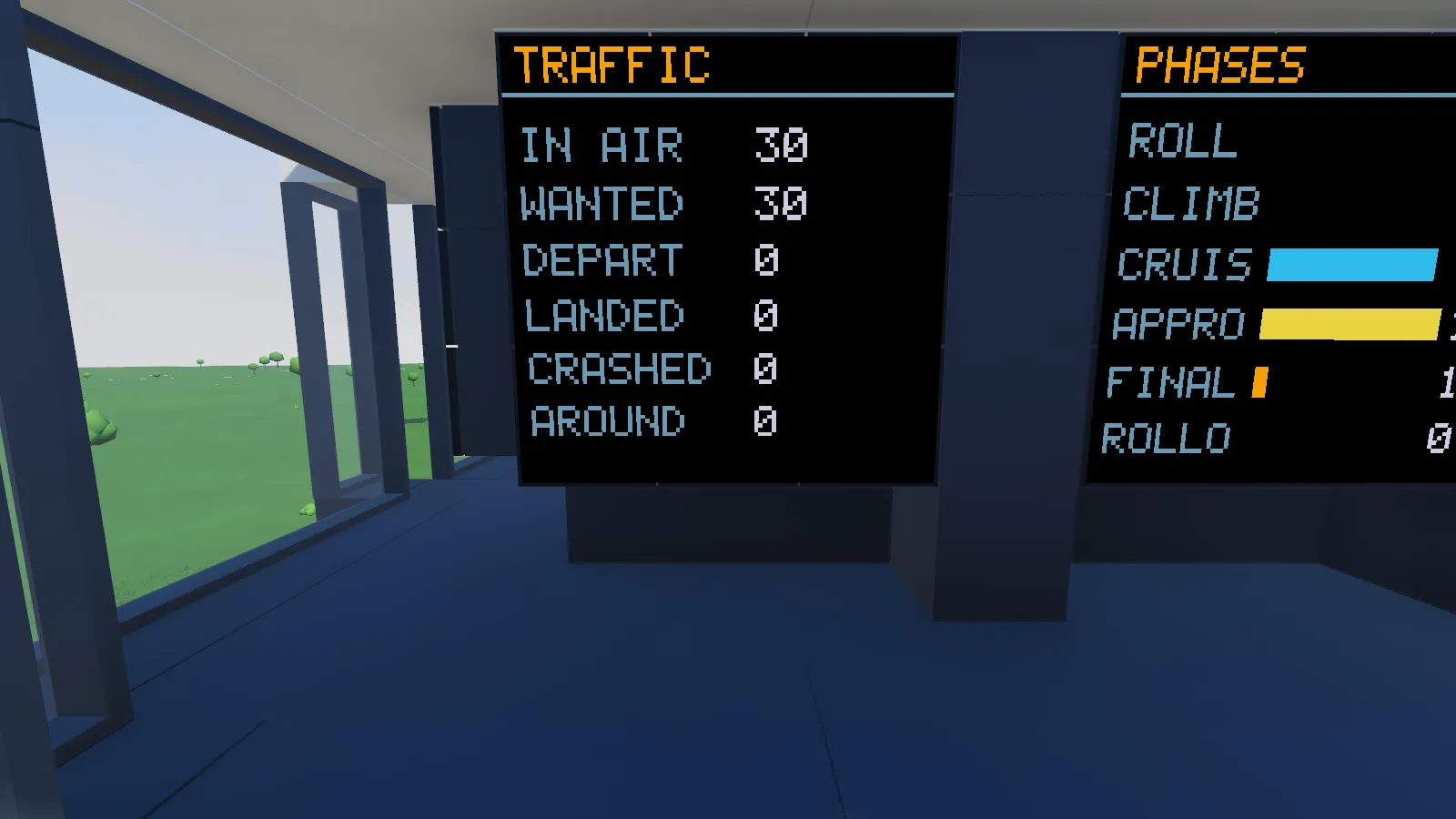
console of eight screens, 15 m long, round which one walks. Its computer is the
only one with tower.info() (the airports and where they are, which
takeoff runways are free; every flight's route, phase, place, height and
speed; the totals; the crash log), tower.depart(from, to, airborne) and
tower.show(screen, flight). It has the planes put in the air on their
ways, ten a look, then, short of planes in the air, one from each free
runway to another airport (the sim puts a plane where it asks). And once a
second it draws its screens: the traffic's totals, the planes in each
phase, the airports (inbound, runway free), heights and speeds, the crash
log, the plane on camera, the radar (north up, the plane on camera
crossed); the eighth shows a plane's nose camera (each plane has one
over its seat): the next every 15 s, or at a touch on the screen; within
18 km (beyond, the players' games do not know the plane). The radar (7)
and the camera (8) stand side by side on one long face of the console, 7
blocks wide each: touch a plane's dot on the radar and the camera shows
it (the nearest within 10 pixels), and keeps it till it lands or another is
picked. The tower's screens reach every flight's camera without an antenna
(other screens need a radio link). Benchmarks: Air
traffic puts the player in the room, before the radar and the camera.
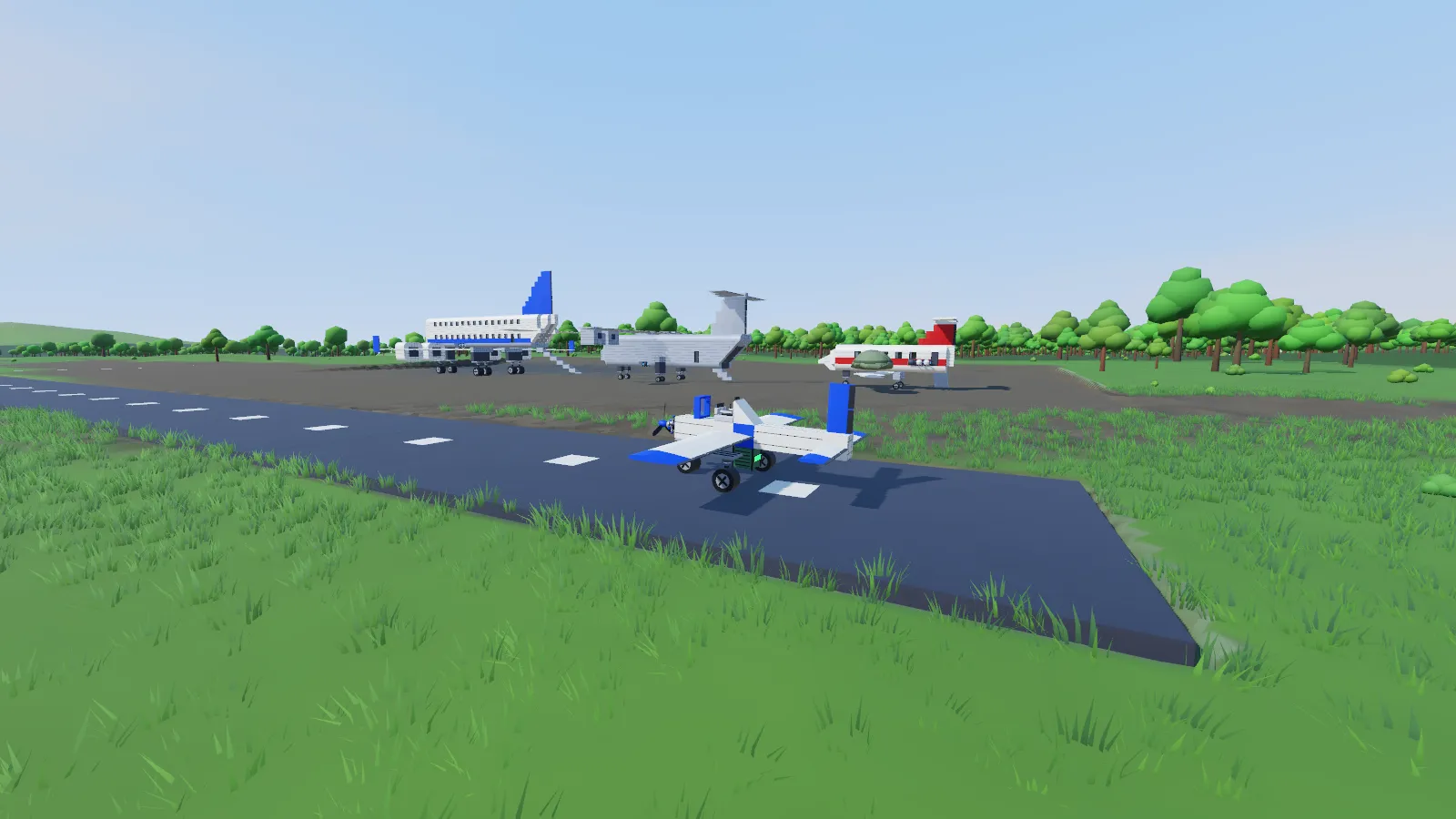
The fleet is all four plane types, as many of each (200 planes in the
air by default, 50 each of the Skylark, the Swift, the Condor and the
Albatross; 400 ran the server at 260 ms a tick); each departure is the type
fewest fly. The autopilot flies each
by its type's numbers (TYPES: its rotation,
climb, cruise and approach speeds, its nose up on the climb, the most it
banks, its flare). Joining the approach it aims at a point on the runway's
line out past the fix (the farther the farther it is off the line), so a
fast jet comes onto the line at a slant rather than across it; it slows no
lower than a third over its approach speed till lined up; final starts
only lined up (within 200 m of the line, pointing along it), 3 km out for
the Skylark and 5 km for the jets. The jets' tanks are kept full. A bot's seat
with no guns gets no aim worked out for it: its
computer reads none.
#Space traffic: drones between docks Currentsince 2026-11-28
The air traffic's way for drones (Benchmarks: Space
traffic, /spacetraffic [tower] [ports N] [docks N] [ships N] [rest S] [log PATH], /spacetraffic status|stop). Asked 2026-11-28: "a new
version of air traffic, but it is space traffic... drones/ships"; "they
shall start and land continuously on designated bases"; "they can have
multiple docks, let the vehicles rest there for some time". The plan, with
the orbital half still to come (stations, shuttles, freighters).
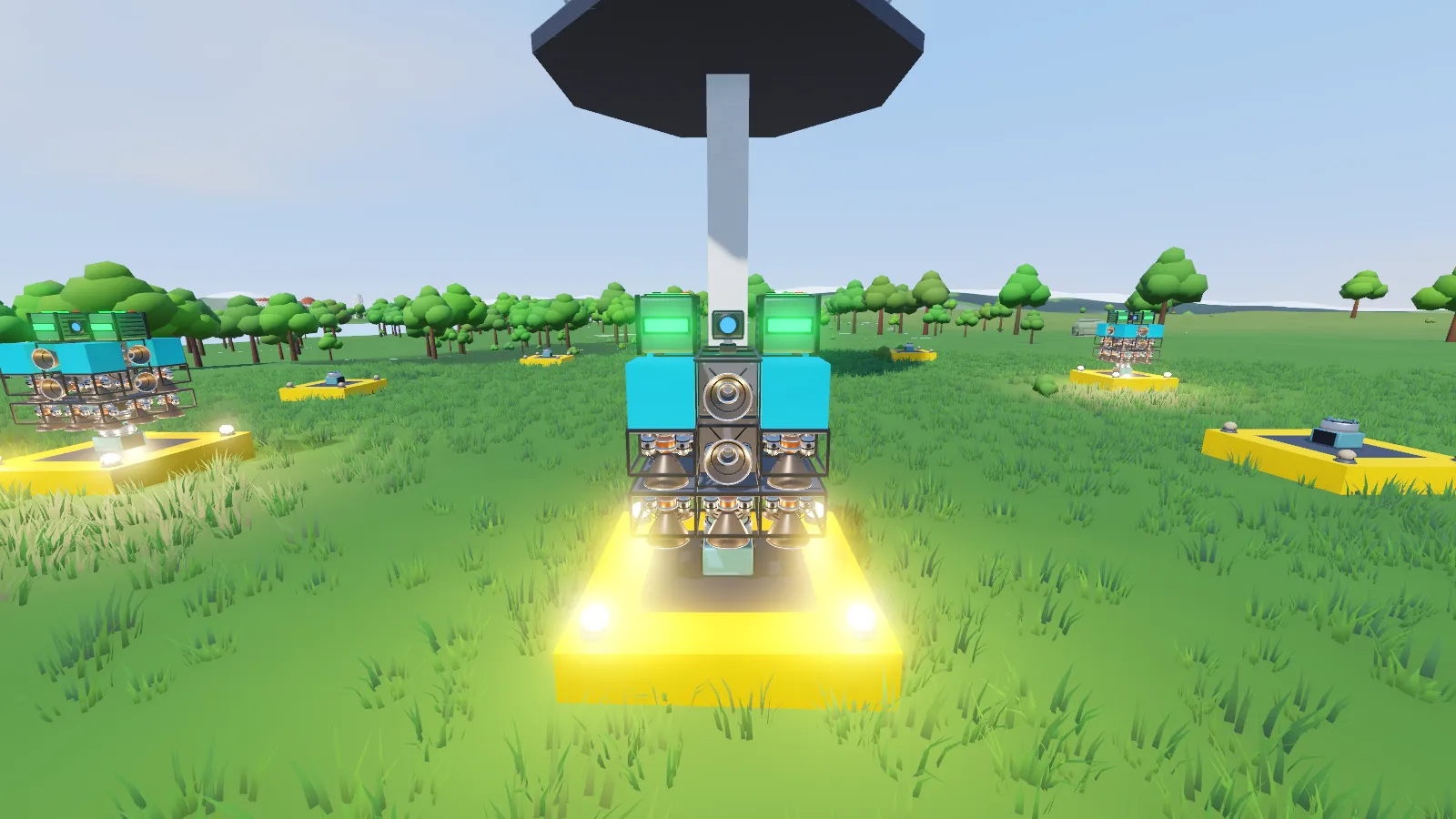
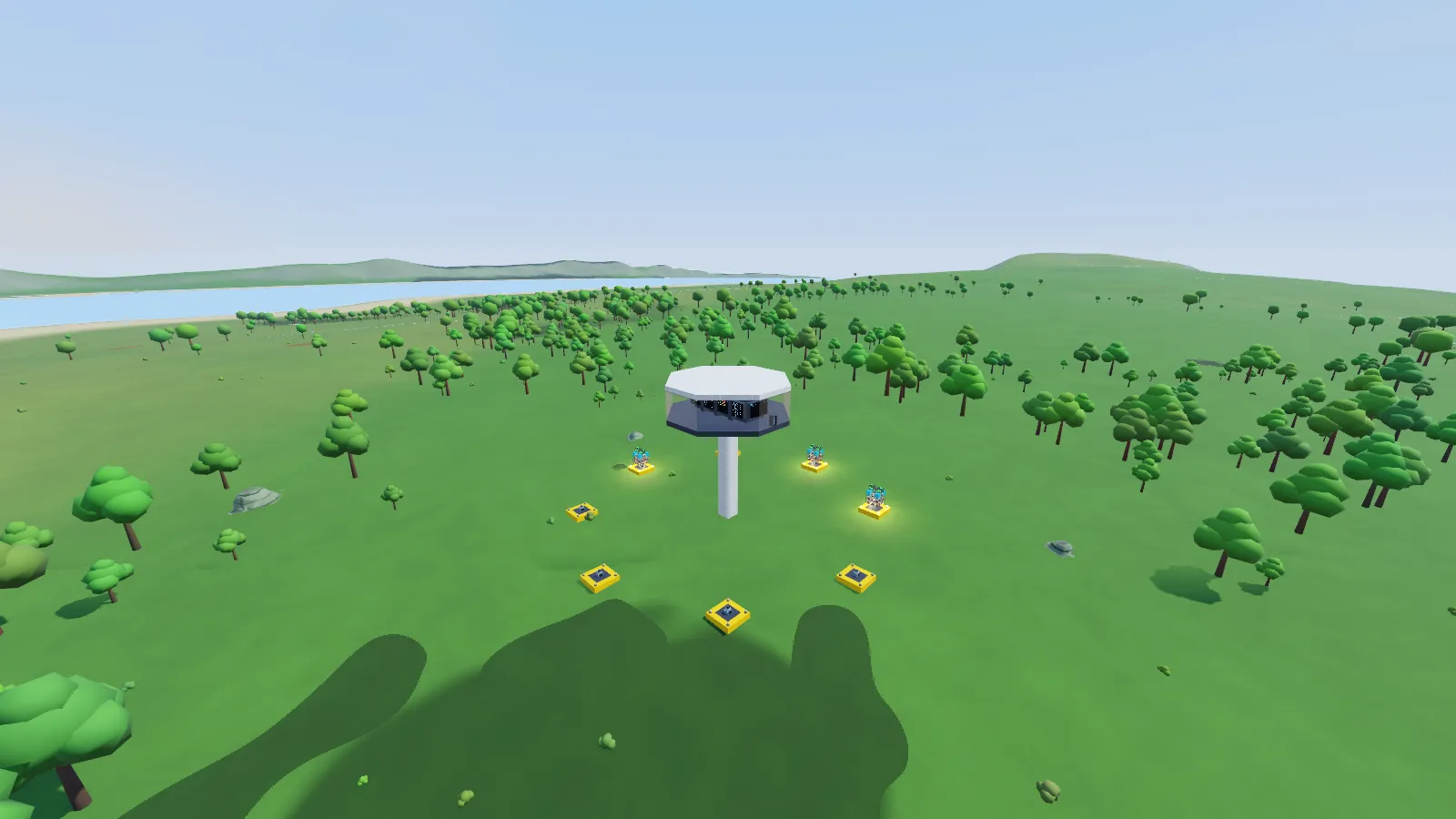
- The bases: 24 spaceports on flat dry ground round the start, at least 6 km apart, with no boulder in or near the ring, each a ring of 12 docks 32 m out from its middle. A dock is a pad of armour 5 x 5 (a yellow rim) with a connector on top pointing up and a lamp at each corner ("Port 03 Dock 5"). A dock is for arriving and leaving both, and never has two ships: one resting on it, or one it is given to.
- The fleet is kept, not replaced: 200 drones (asked 2026-11-28: "make it 200 drones"), half Gnats (a quick courier, 30 blocks, 3.6 t, 90 m/s) and half Mules (a cargo drone with a hold, 80 blocks, 10.8 t, 60 m/s). A drone is level all the way and flies by its thrusters, only as many as its autopilot needs (asked 2026-11-28): lift thrusters under it round its dock port (a connector pointing down; the Gnat 4, the Mule 8), thrusters in its edges pushing every way (the Gnat one each way, the Mule two), a gyroscope, its "Autopilot" computer, batteries (kept full), a nose camera on top ("Gnat 3 Camera") and behind it an antenna ("Gnat 3"), its transponder: the suit's radio hears every drone within 60 km, green on the radio map. On its head, over the camera, facing up, a push button Fly (asked 2026-11-28): pressed from above while the drone rests, it ends its rest (the least rest too) and the control centre sends it out the next time it looks, where it would have sent it.
- More Traffic (asked 2026-11-28): a push button on the control
centre's console, under its end screen. Each press lays 4 more
spaceports out past the others (6 km apart at the least) and puts 32
more drones on their docks, as many as find a free dock, a little each
tick while the rest fly on; the chat tells when it is done.
/spacetraffic more [ports N] [ships N]does the same. - A leg (its plan in its storage, its phase written back): Liftoff and Climb straight up its dock's column to near its cruise layer (500 m over the higher port, 50 m more for each eighth of the compass it flies, the Mules 25 m over the Gnats), and only then away; Cruise to the fix, 150 m out past its new dock on that dock's side of the port; Approach: down there to the gate's height, then level and straight in to the gate, 120 m over the dock; Final down the column, slower the lower, onto the dock's connector, which takes it. So arrivals never cross another dock's column low down, where ships climb out (with them crossing, 6 crashes in 10 minutes; now none). Too far off the column (3 m) on final: a wave-off, back to the gate. A ship with no dock yet holds, circling 400 m out over its port, each at its own height.
- Rest: down, it rests on its dock, locked to it, thrusters off, 60 to
180 s (each landing its own time, so they do not all go at once;
rest Smakes it S to 3 S). - The control centre stands in the middle of the first port's ring:
the air traffic's tower, its computer
"Traffic Control" the only one with
traffic.info()(the ports and each dock's state, every ship's base, target, dock, phase, place, height, speed and rest left, the totals, the log),traffic.depart(ship, to),traffic.give(ship)andtraffic.show(screen, ship). It sends each rested ship to the port with the most room (free docks less the ships on their way with none), so ships seldom hold; it gives a ship with no dock one as one comes free, the holding ships first; and when a port is full with ships holding over it, it sends out one of its ships for each holding (rested at least 30 s, its rest cut short). Its screens: the totals, the phases, the ports with a square for each dock (green free, amber given, red a ship on it) and how many hold over each, the resting ships and their rest left, the crash log, the ship on camera, the radar (touch a dot) and a ship's nose camera. Benchmarks puts the player in its room. - Crashes (every second): a ship gone, short of blocks, stopped 30 s
in the air, off its dock 20 s while resting, or long overdue: written
to
space_crashes.logand taken out, and a new one of its type is put on a free dock at its base, resting. - What it costs (200 drones, 10 minutes): a tick 8 to 9 ms on average, 15 to 18 at the 95th (the drones' scripts 3 ms, physics 2): each script runs every 10 ticks in the climb, cruise and hold, every tick only close in, every 100 resting, and sets a thruster only when it changes; the ports and ships are set up a little each tick (20 ships a tick). A script's thruster and gyroscope overrides go to the players quietly (see "Autopilots"): sent as control updates, 48 drones ran the reliable channel out and the player was dropped ("connection terminated by server"). Each ship's first block id ends in its number's last digit, so their autopilots run on ten different ticks of ten (alike, their ids a step of the same count apart, all ran on one: 503 slow ticks in four minutes, the 95th at 15 ms; spread, 10 ms). The control centre draws one of its seven drawn screens a run (each about every 1.2 s) and its view's heights over the ground are looked up again only 100 m on.
- What it costs the player (since 2026-11-28): the drones' thrusters are drawn coarser far off (block models get levels of detail), their plumes not past 1.2 km, the docks' lamps from a sphere of ~1k triangles (they drew 30 million); engines' smoke is off (see the parks' "Engine smoke"). The F3 stats' Client row shows the frame's parts.
- What it costs the network (since 2026-11-28; one player, 200 drones): 60 to 160 KB/s in, from 500. A grid at rest (its body asleep, or fixed) has its state sent once, not again till it moves; grids past 8 km come twice a second (the client carries them on up to 30 ticks); each grid's state and values are sent again every 4 s on its own snapshot, not all of them every 2 s. What is left: the snapshots (45 to 70 KB/s), the control centre's screens (15 KB/s), the drones' control updates as they change phase and dock (7 KB/s), and a burst when a ship is put out new (the whole grid).
- Tests: (the drones' thrust; one Gnat, or
SPACE_SHIP=mule, flying three legs and docking each time; 12 ships on 4 ports of 4 docks for ten minutes, never two on a dock; a ship holding over a full port till one of its ships is sent out; as from the menu, nothing goes non-finite).--autotest --host --spacetrafficshots --shots DIRphotographs it;--autotest --benchstart --watch 240starts it from the menu's Benchmarks as a player does and checks it stays connected.
#Radio: antennas and the logistics computer Current
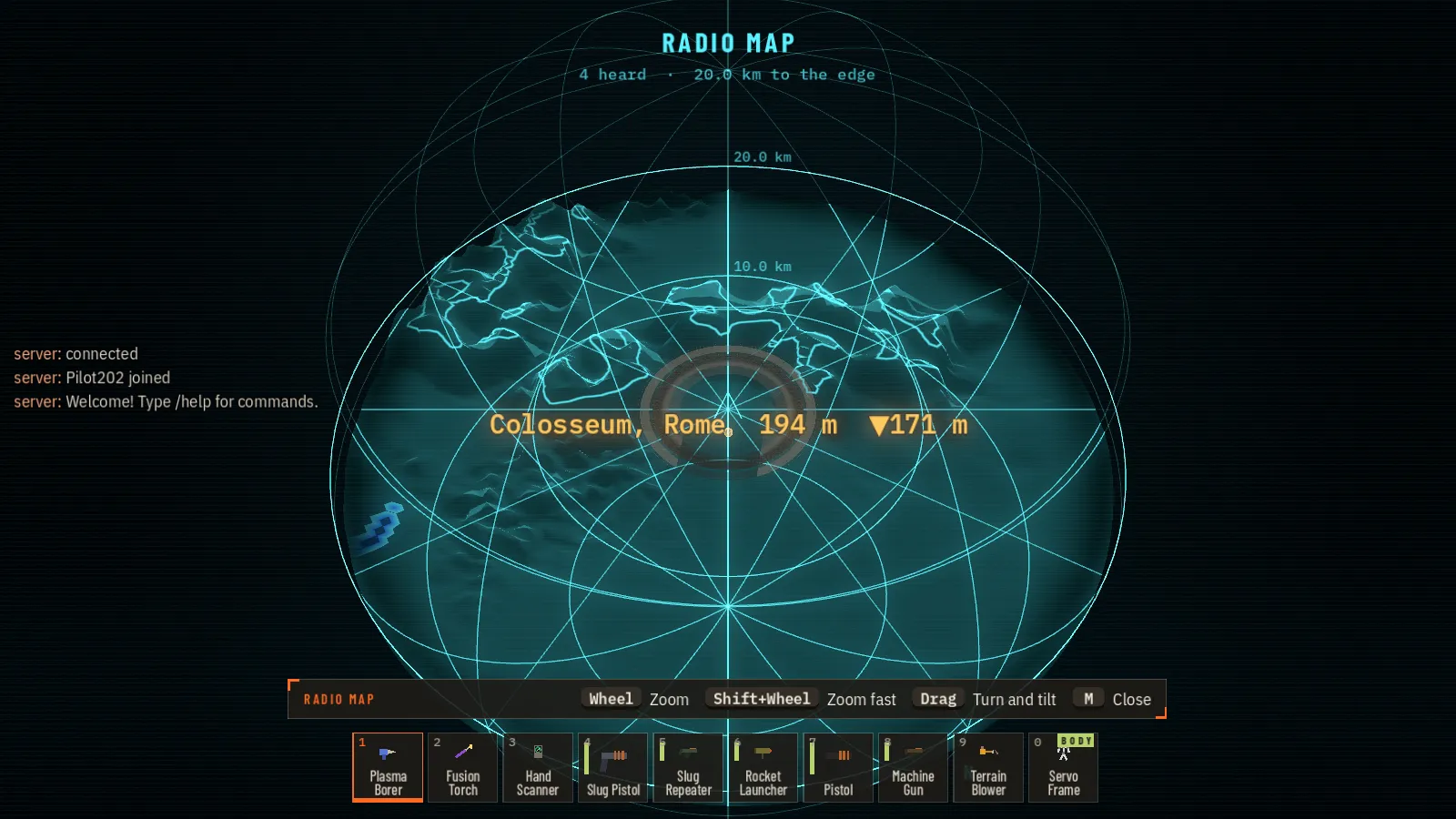
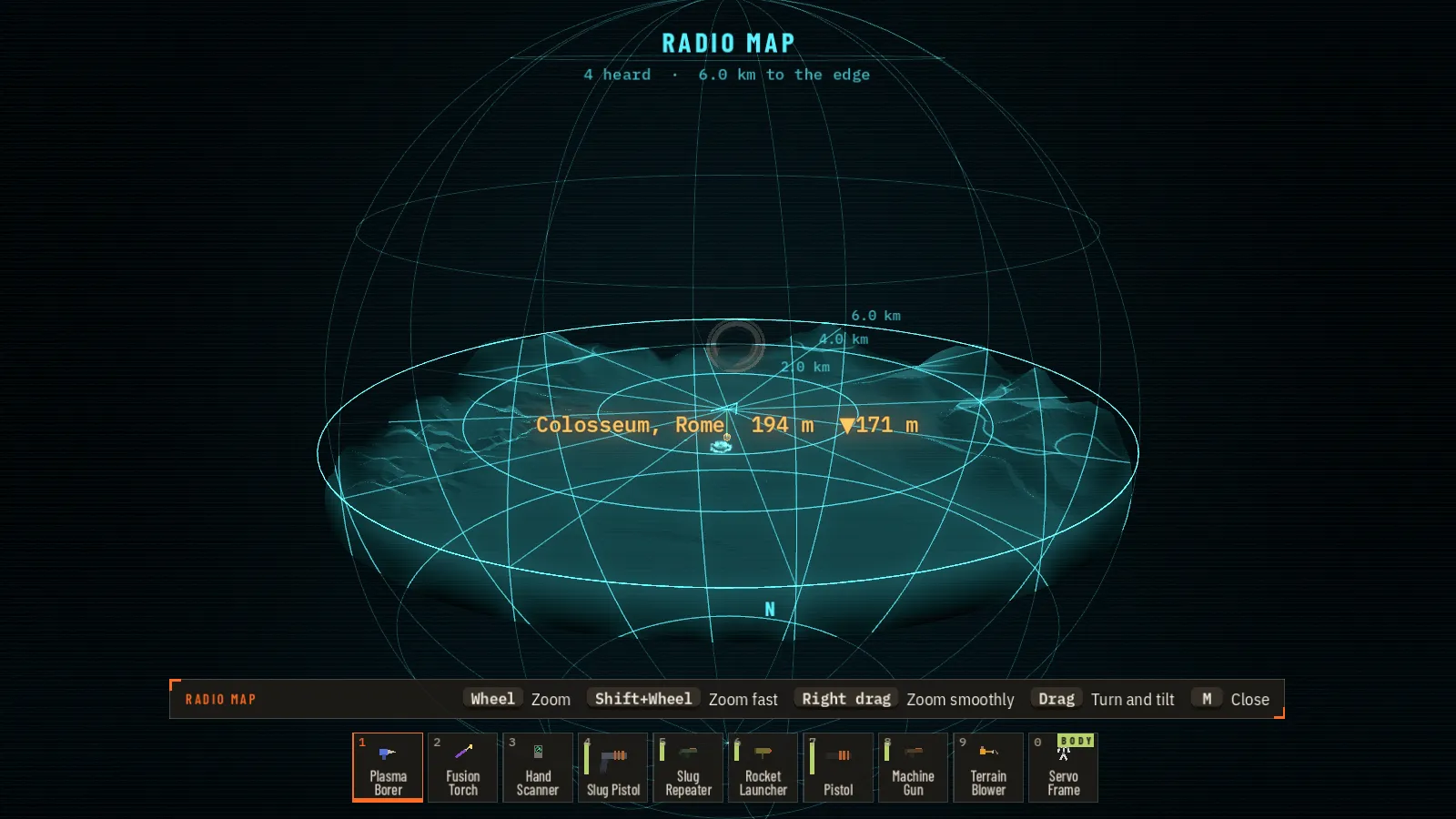
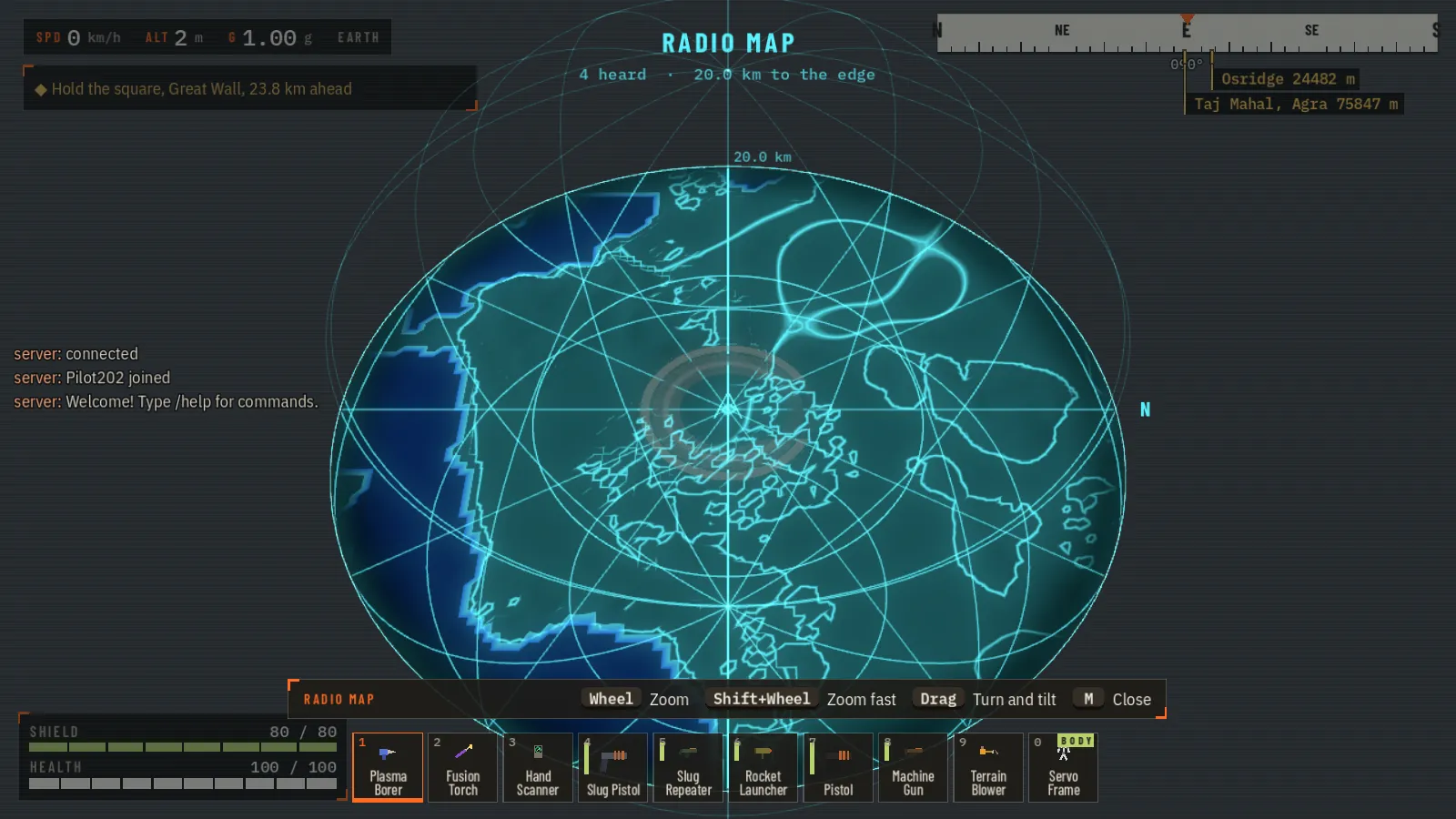
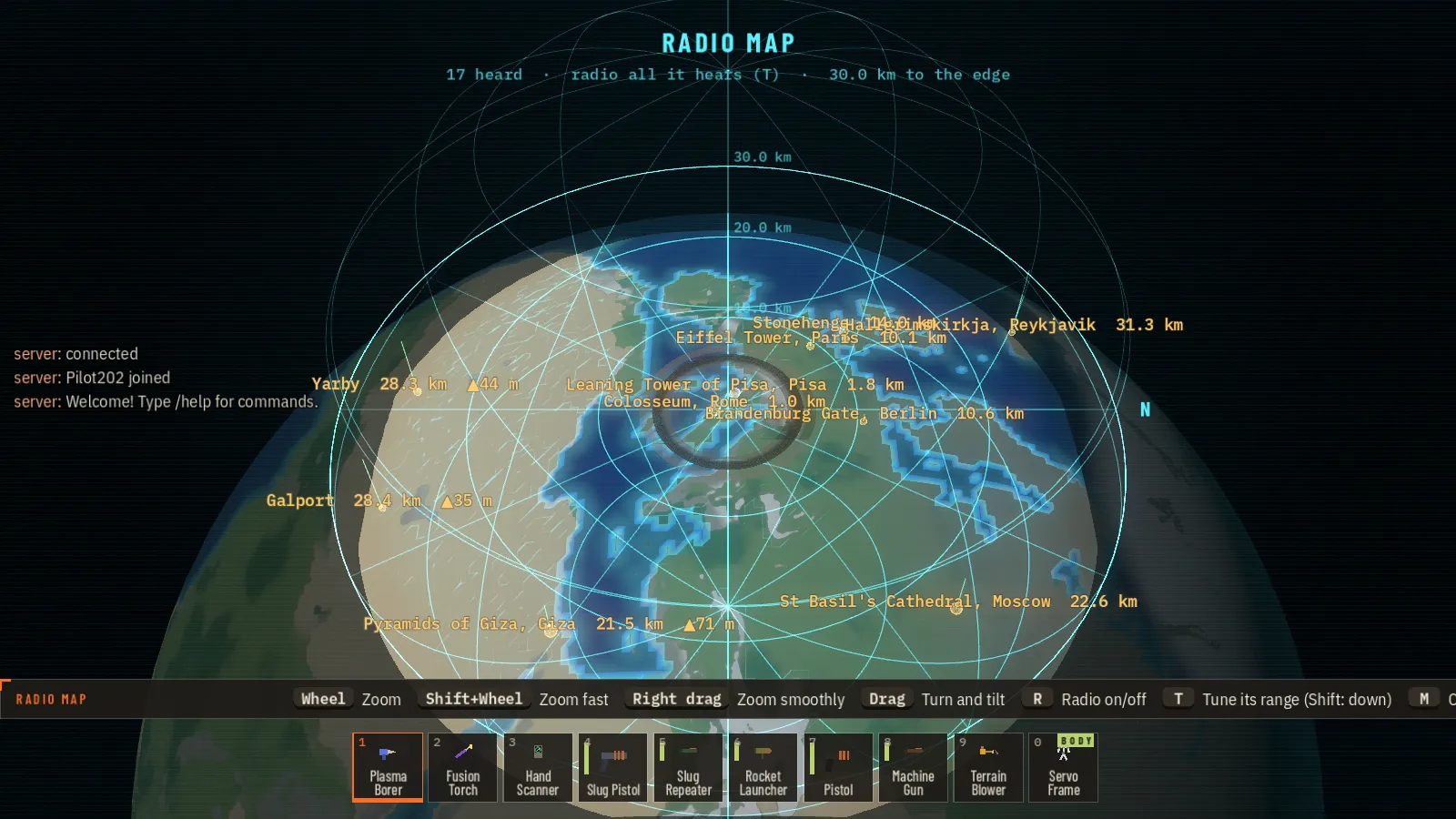
An antenna (block) puts its construction on a radio network: antennas
on the same channel (1-99) within 3 km hear each other. A script reads
antenna.network: the other stations (by their antenna's name), where they
are, how far, and their containers (contents, slots, used); antenna:send(msg)
reaches every computer of every station that hears it, as
on_radio(msg, from).
In the logistics demo every site, vehicle and the base has an antenna, and
a logistics computer beside the base (a 6 x 4 map) dispatches the
vehicles by demand: a vehicle back at the base and unloaded radios "ready
#Buttons: switch or push Currentsince 2026-11-18
A button is a SWITCH (the default: every press turns it on or off) or a
PUSH button (half a second, after each
press, then off by itself), set by MODE on its panel; scripts read
.push and set it with set_push(bool). Every press is counted
(.presses) either way. A push button is for one-shot actions (a launch,
a print), a switch for a state (a turret on or off).
#Chess for scripts, and the challenges' referees Currentsince 2026-11-27
Any script can play chess with the game's engine (moved
out of the sim for it): chess_start(), chess_moves(b),
chess_play(b, from, to), chess_status(b), chess_check(b),
chess_best(b, depth, seed). A board is a string (64 squares a1..h8,
PNBRQK/pnbrqk/., then side, castling and en passant). The engine's thinking time is not
counted against the script's 5 ms: depth 3 takes
longer than a script may.
The challenges' referees are scripts on their terminals' computers, with
a referee table only those computers have (what it sees and may do: "The referee is a script on the terminal's
computer"). In any other script referee is there but each call is an
error that says so.